Ship without a platform team
Paste a repository link and it’s live on your own server with HTTPS, a preview for every branch and one-click rollback.
Instead of deploy scripts and a pipeline only one person understands.
For teams without a platform team
OpsNexa Online deploys your apps to your own servers and clusters, shows what changed the moment something breaks, checks your code on every push, and keeps everyone’s access in check. Your whole team, one place, no glue scripts.
No card needed. Your own OpsNexa Online at yourcompany.opsnexa.online in about a minute.

Deploy scripts, an uptime checker, a secret scanner, a spreadsheet of who has access to what, another for cloud costs, and a wiki page nobody updates. OpsNexa Online replaces the patchwork and connects it: when an app goes down you see the deploy, the setting and the infrastructure change that came before it.
The work a platform team would do, done for you, in plain words anyone on the team can follow.
Paste a repository link and it’s live on your own server with HTTPS, a preview for every branch and one-click rollback.
Instead of deploy scripts and a pipeline only one person understands.
When something breaks, the deploy, setting or infrastructure change just before it is right there, most likely first, with a rollback button.
Instead of five tools and a chat channel asking “did anyone change anything?”
One offboarding plan removes a person from GitHub, AWS, Kubernetes, servers and more. You review it, confirm it, and can undo most of it.
Instead of a checklist and the one account somebody forgot.
Every push and pull request is checked: Terraform, Kubernetes files, Dockerfiles and pipelines, with what it adds to the monthly bill. Fixes arrive as pull requests.
Instead of finding out from an incident or the invoice.
Unattached disks, forgotten addresses, old images and changes made by hand behind Terraform’s back, found every day and cleaned up safely.
Instead of leftovers on the bill for months.
Access reviews, tested backups, checked pull requests and an audit log of every change, laid out against SOC 2 and CIS controls.
Instead of screenshots collected the week before the audit.
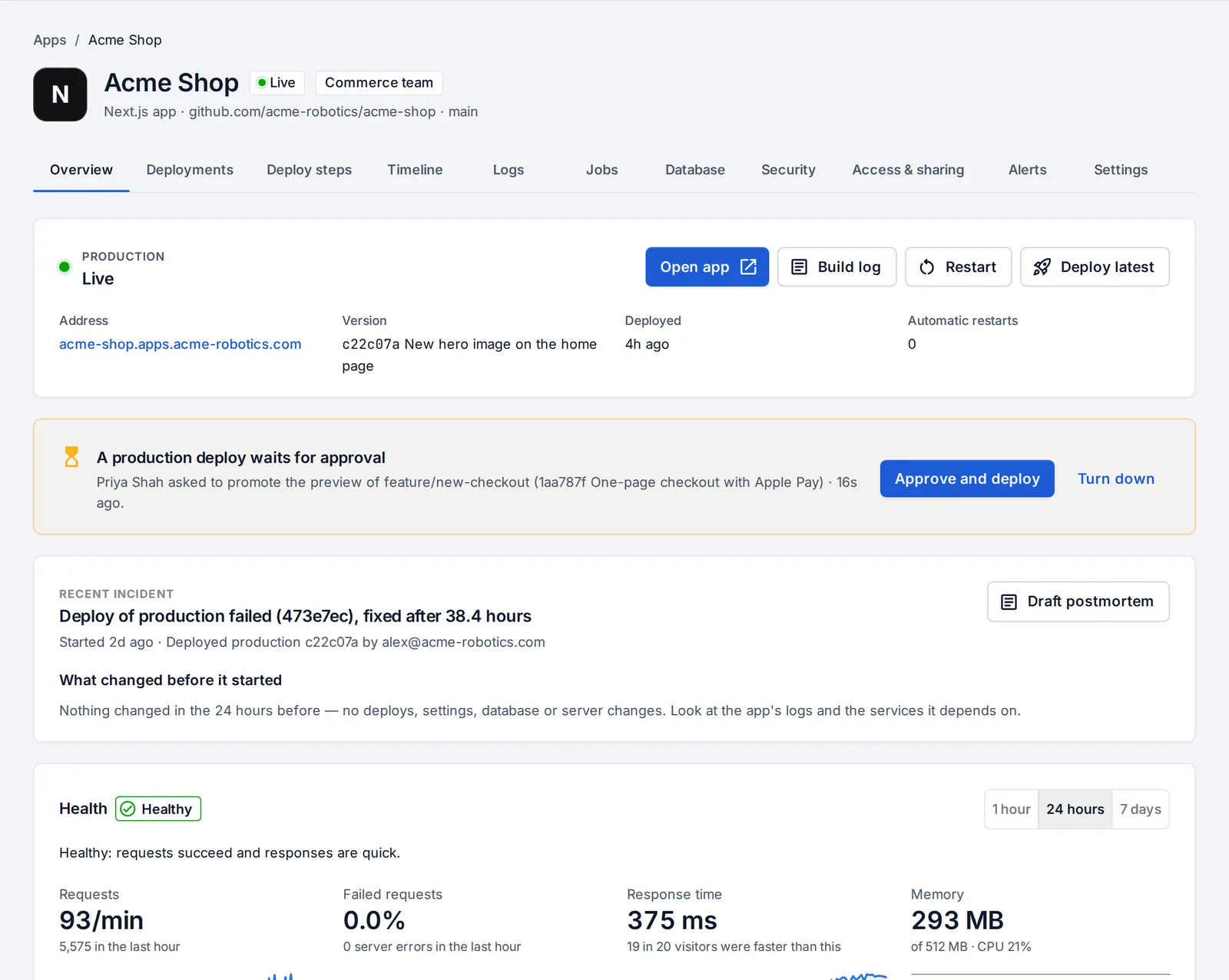
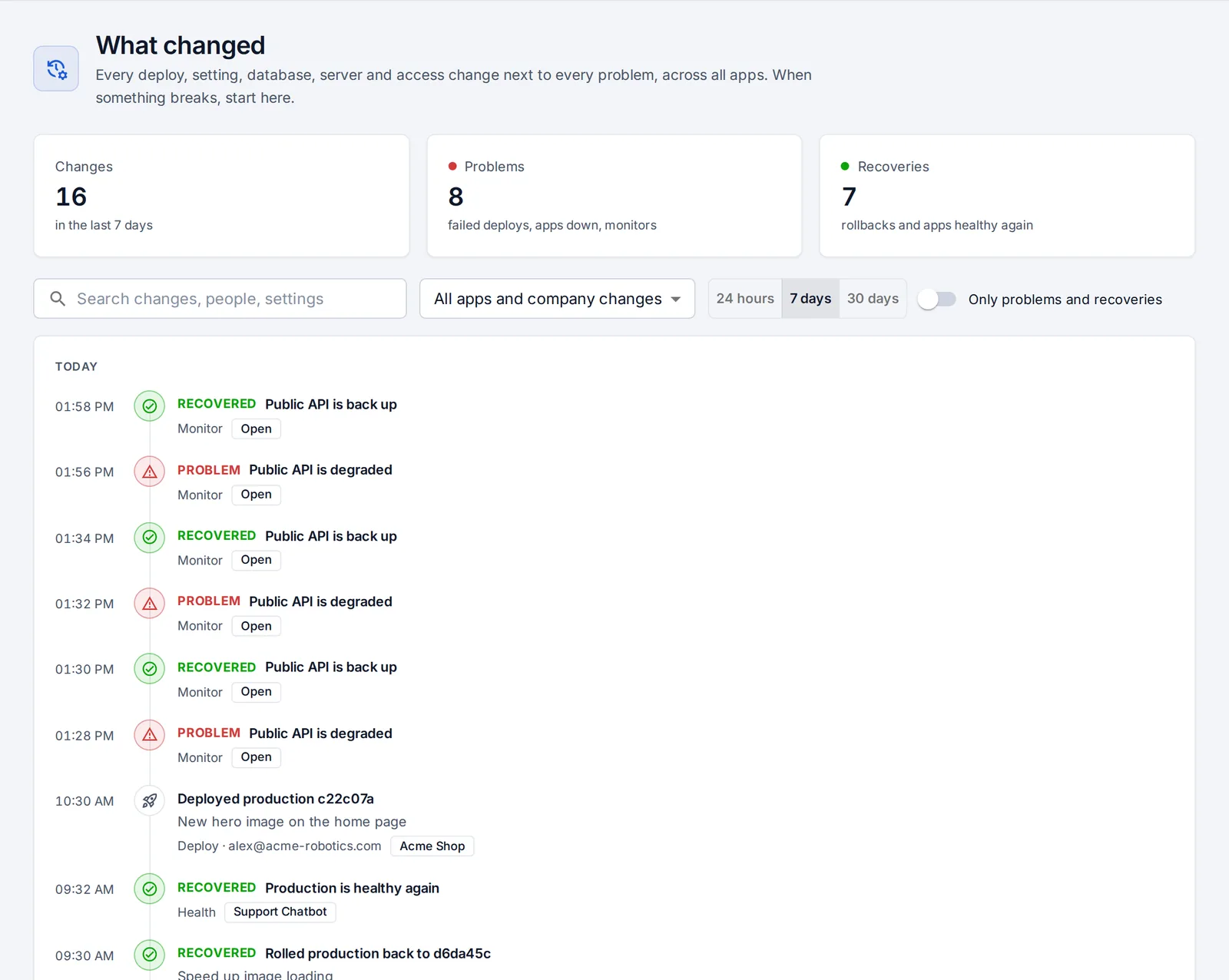
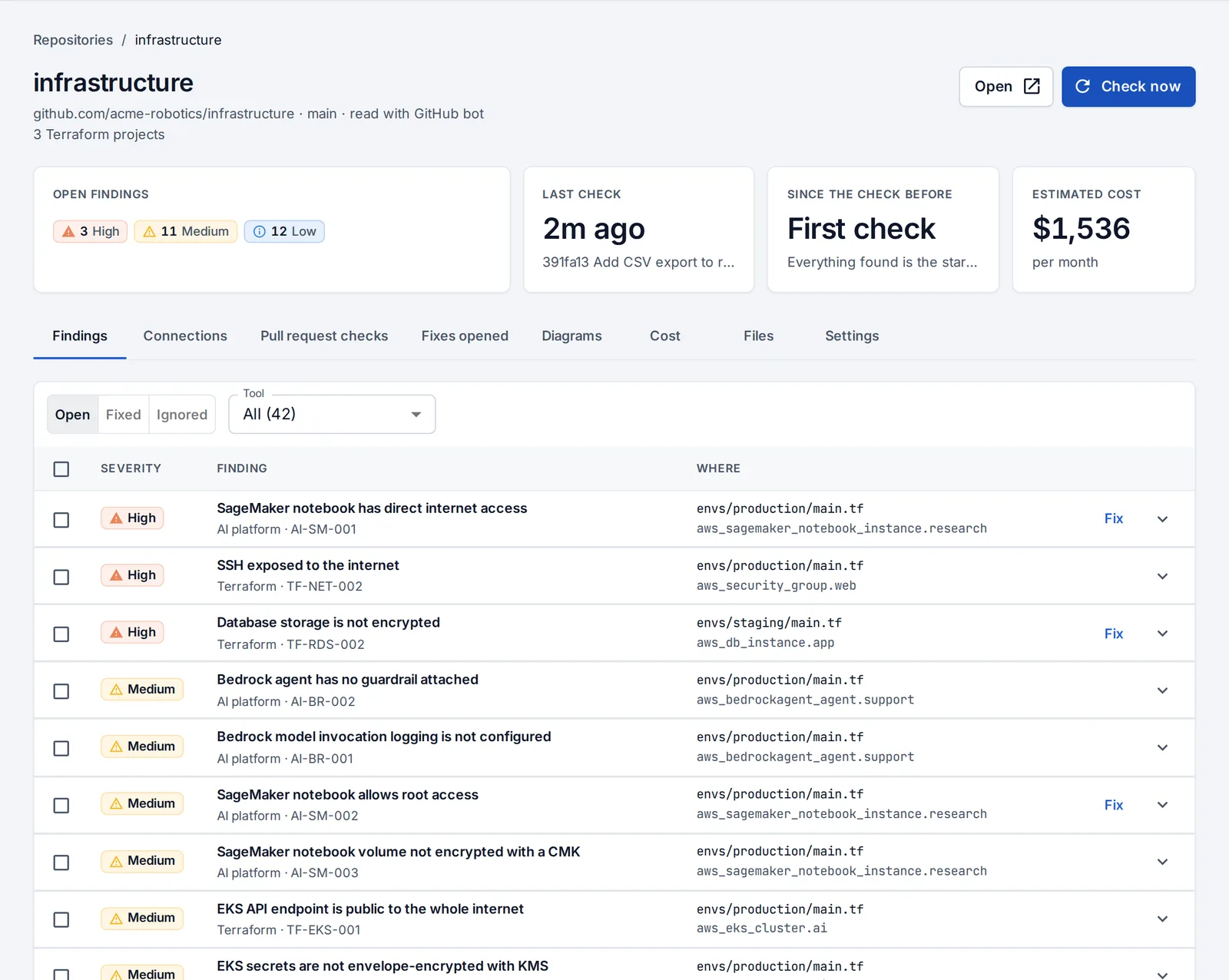
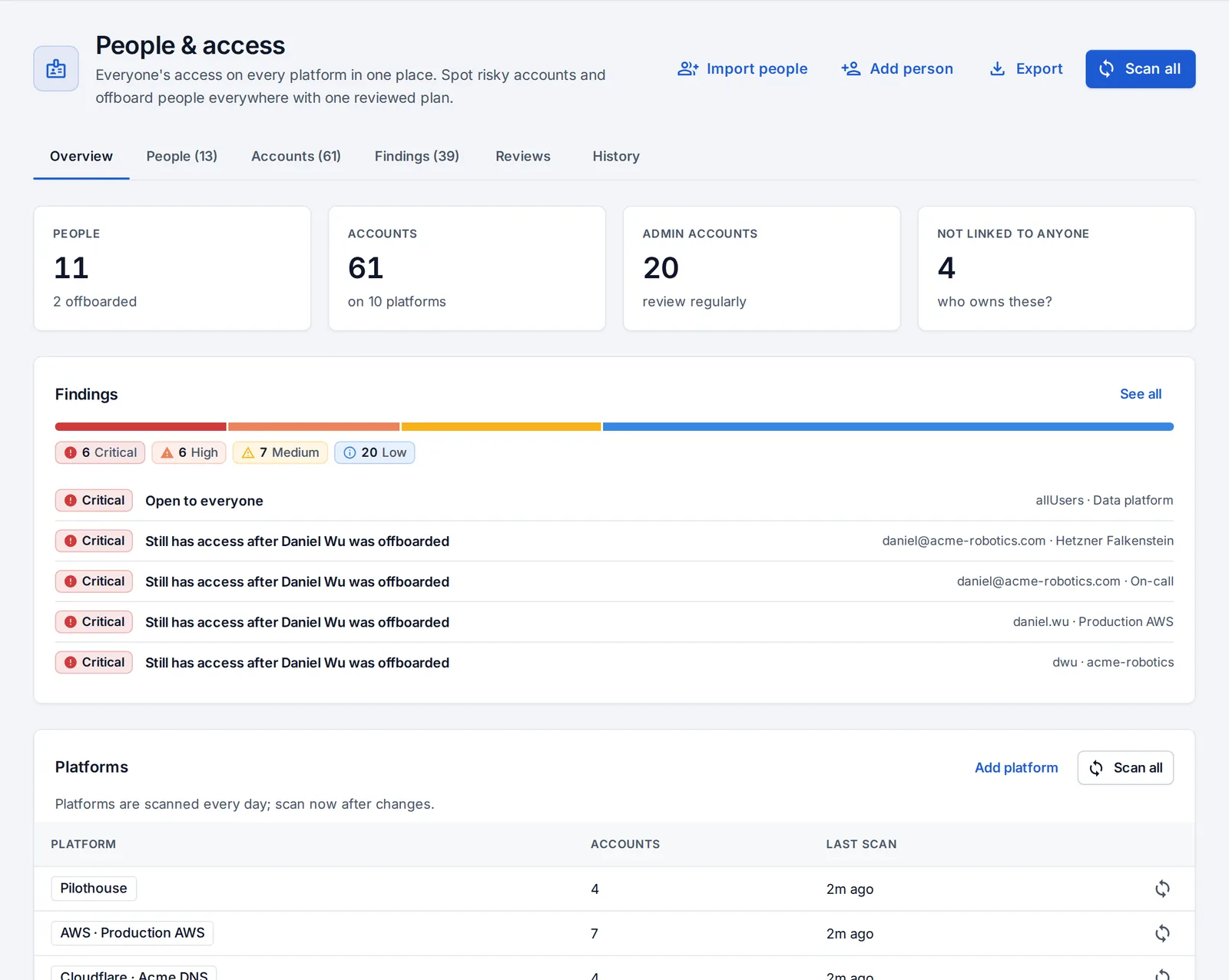
Real screens from a sample company. Click a screenshot to see it larger.
OpsNexa Online works out how to build your code, runs it on your server or cluster and gives it an address with HTTPS.
Every deploy, setting, database and infrastructure change sits next to every problem, across all your apps.
Terraform, Kubernetes files, Helm charts, Dockerfiles and pipelines, in private repositories too.
GitHub, GitLab, AWS, Google Cloud, Azure, Kubernetes, your servers, Cloudflare, Grafana, Sentry and PagerDuty, in one list per person.
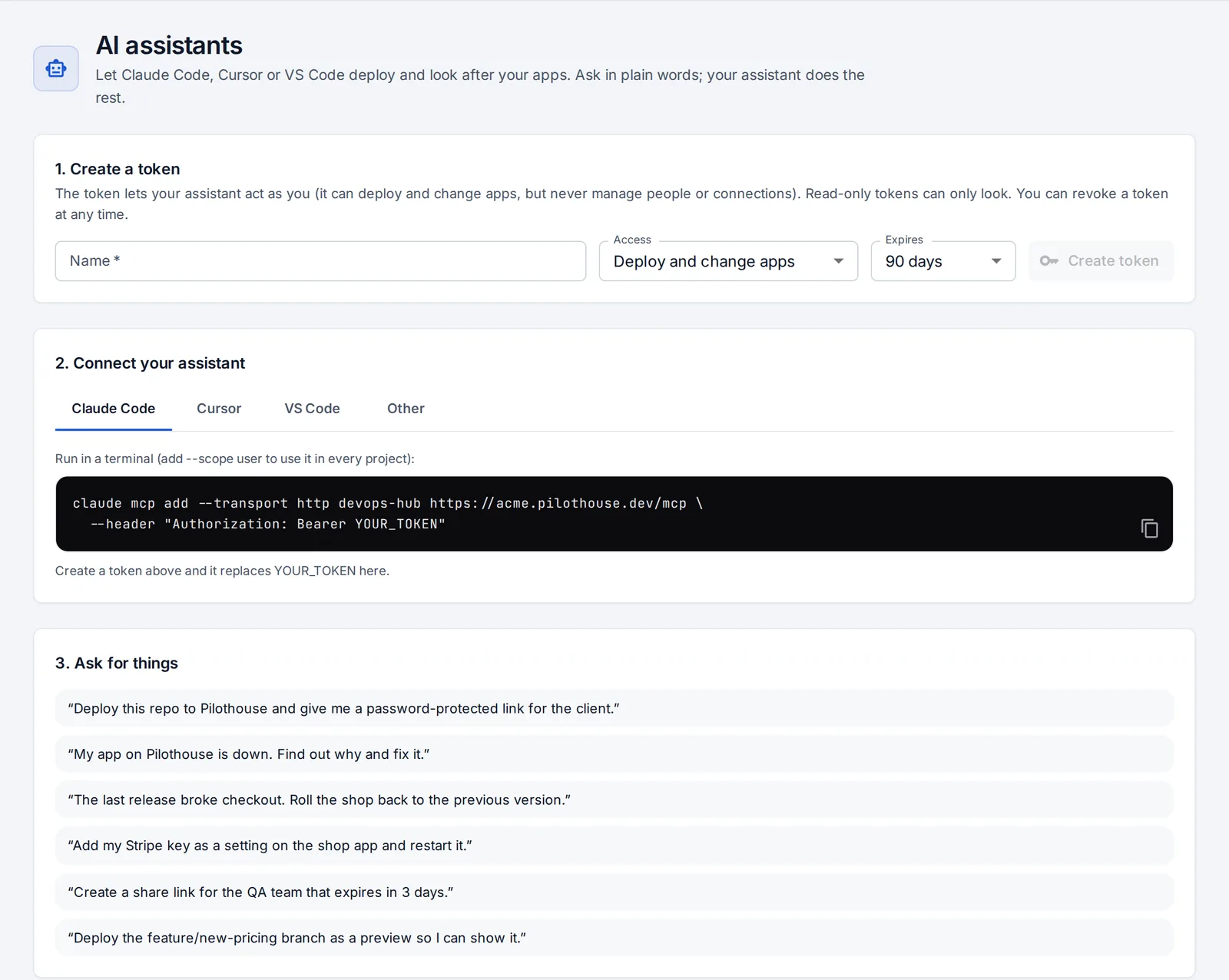
Claude Code, Cursor and VS Code connect to OpsNexa Online and work with the same permissions as you.
A checklist on Home and click-through tours show each step on the real page.
Your company gets its own OpsNexa Online, with its own database, at yourcompany.opsnexa.online.
Any Linux machine with Docker over SSH, or a Kubernetes cluster. Machines behind your firewall work too, through a small agent that connects out.
Paste a repository link and press Deploy. Invite people with the role they need, or let everyone at your company try it in a sandbox.
Everyone gets what they need from one place, and nothing more.
Security
Your apps run on your own machines and clusters. OpsNexa Online reaches them with the access you give it, and nothing more.
 yourcompany.opsnexa.online
Plans differ only in how people are counted: one price for a small team, per person, or only the people who actually used it this month.
No. Any Linux machine with Docker that OpsNexa Online can reach over SSH is enough: a cloud VM or a box in your office. If you already have Kubernetes, use it too.
On your own servers and clusters. OpsNexa Online builds and runs them there and gives them their addresses; your code and data stay on your machines.
Yes. Run the small OpsNexa Online agent inside your network (Docker, Kubernetes or a Linux service). It connects out, so nothing opens on your firewall, and you choose which addresses it may reach. How it works.
Choose a plan and everything carries on. If you don’t, your OpsNexa Online becomes read-only; nothing is deleted, and choosing a plan later brings it straight back.
Yes. Claude Code, Cursor and VS Code connect to OpsNexa Online and can deploy, roll back, read logs and explain why an app is down, with the same permissions as the person using them. Set it up.
Sign up, then follow the checklist on Home. Your first hour walks through it with screenshots.
Set up your company in a minute and deploy your first app today.
Start your 14-day trial