
Product
Everything your software needs, in one place
Five parts that work together: ship your apps, operate them, check your code, keep access in check, and run your team. Every screen below is the real product with a sample company.
Ship apps
From a repository link to a live app, on your own servers
No CI to write and no proxy to configure. OpsNexa Online detects Next.js, Vite and React, Node, FastAPI, Flask, Django, Go and static sites, or uses your own Dockerfile.
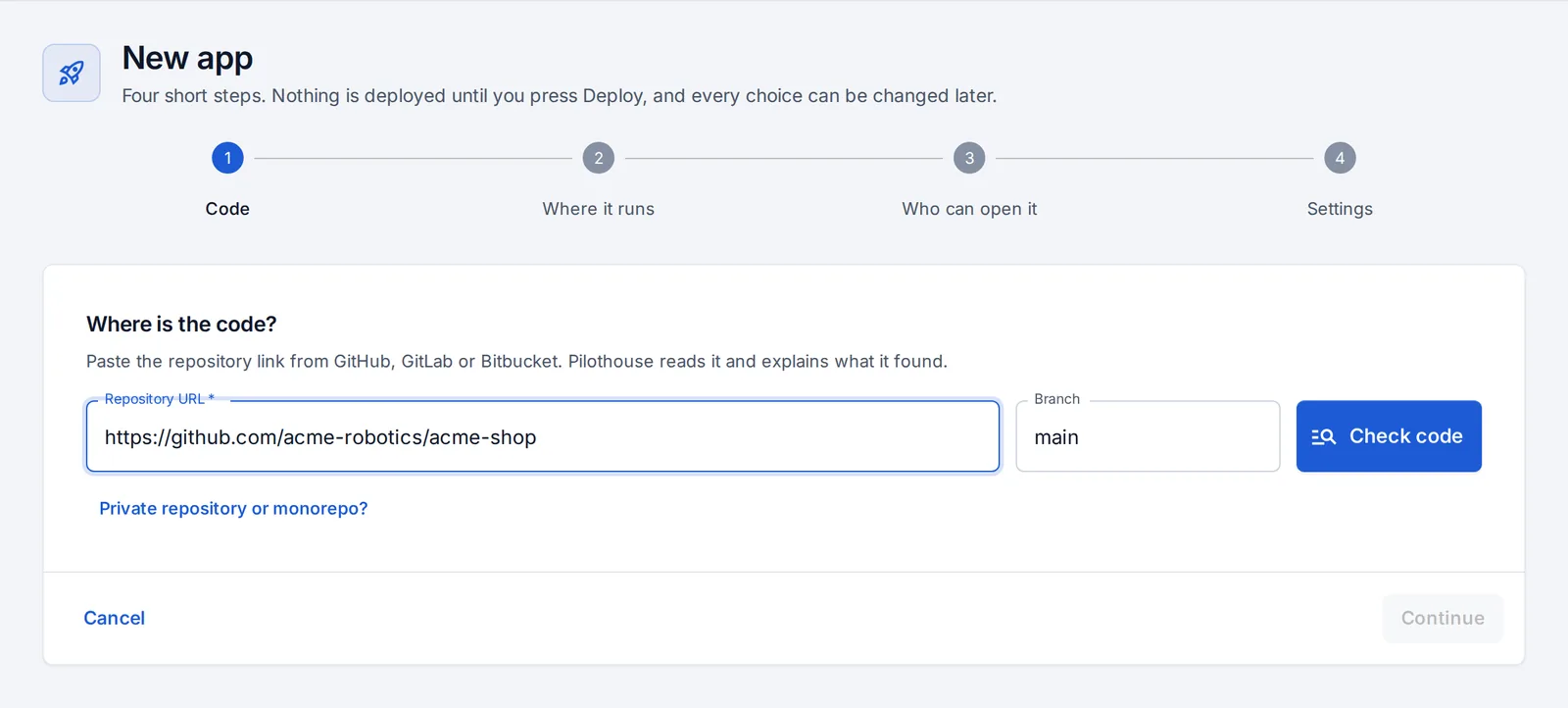
Deploy in four steps
Paste the link, pick a server or cluster, choose who can open it (a password, your team only, or everyone) and add the settings your code reads. Every push redeploys it.
Deploy an app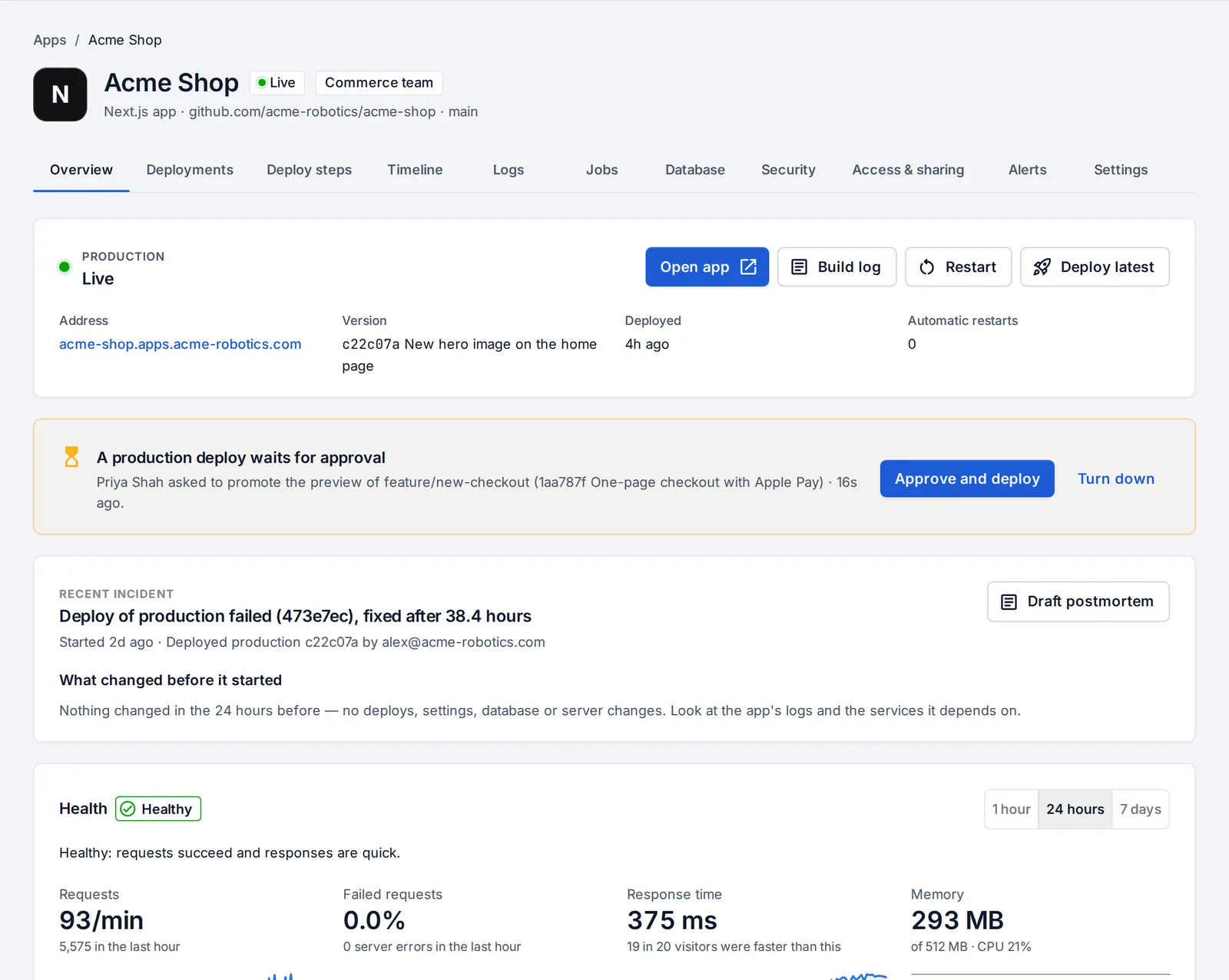
Previews, promotion and approvals
Every branch gets its own preview address. Promote puts the exact build you tested into production, and production deploys can wait for a second person to approve.
Previews and promotion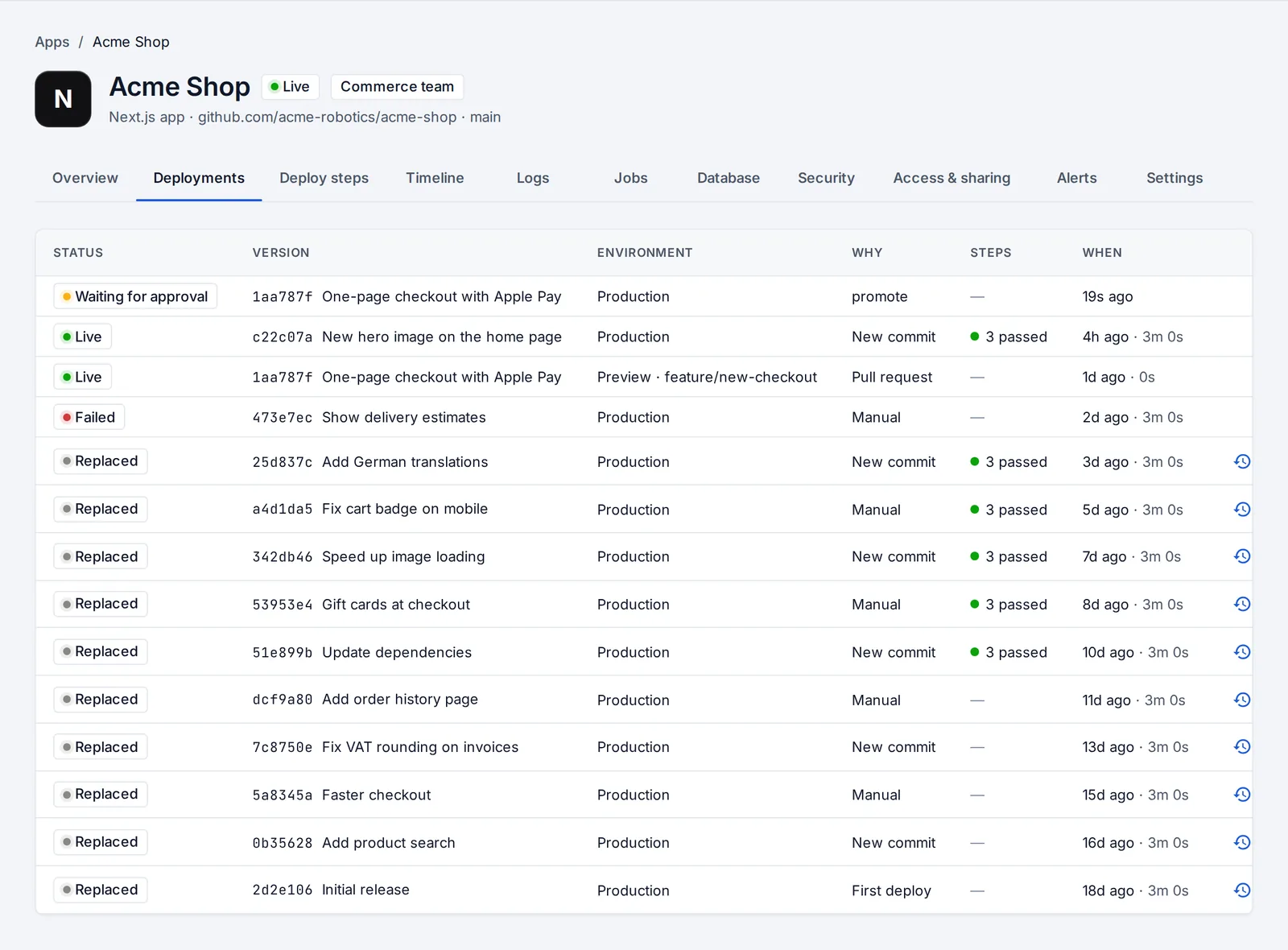
Failed deploys explained, rollbacks in a click
A failed deploy says what went wrong in plain words (the branch is missing, the app listens on the wrong port, it ran out of memory) with the fix and a button to the right place. Any earlier version is one click away.
When a deploy fails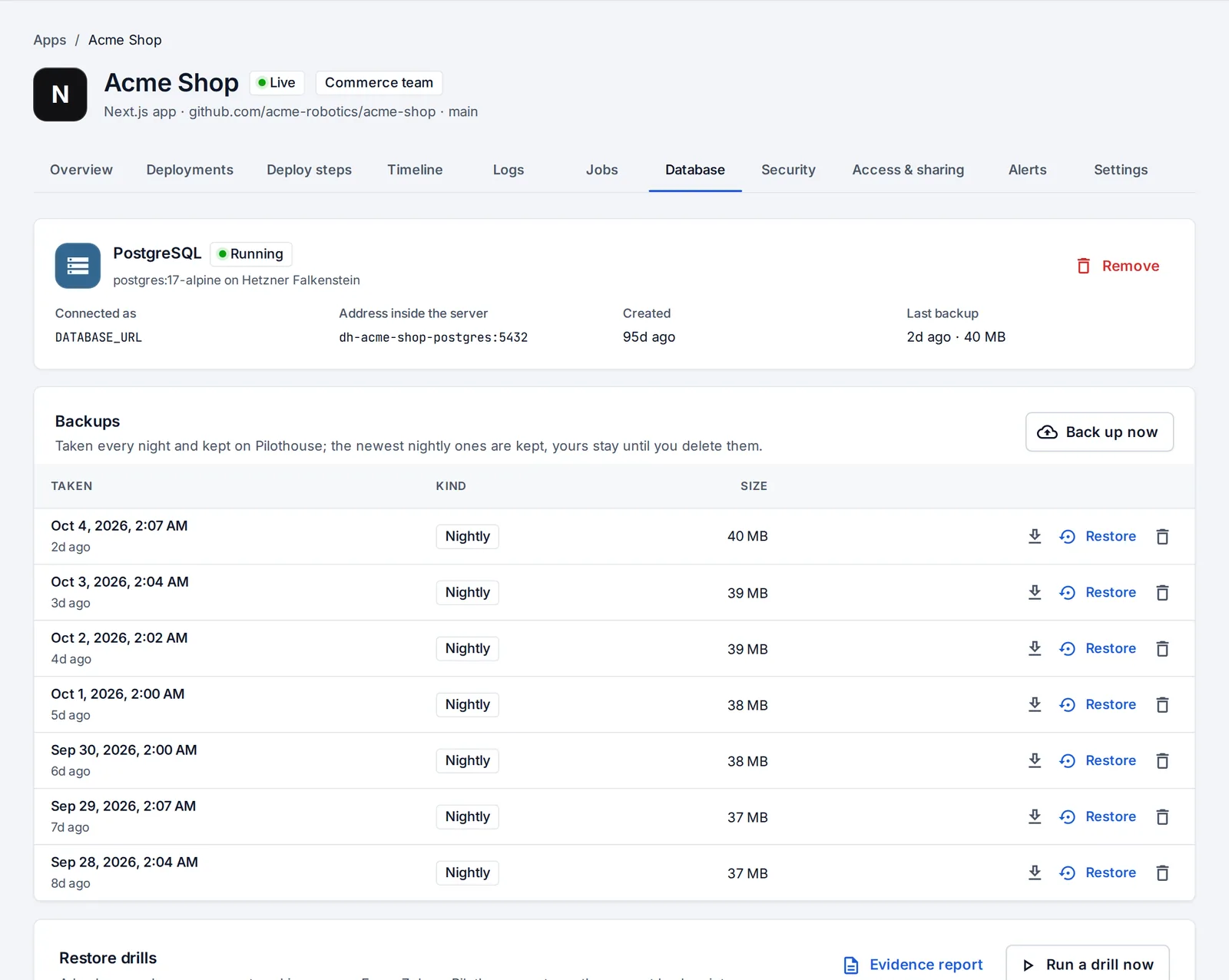
Databases with backups you can trust
Add PostgreSQL or Redis next to the app. PostgreSQL is backed up every night, restores in one click, and a weekly restore drill proves the backups work. Previews can get a copy of production with personal data masked.
Databases and backups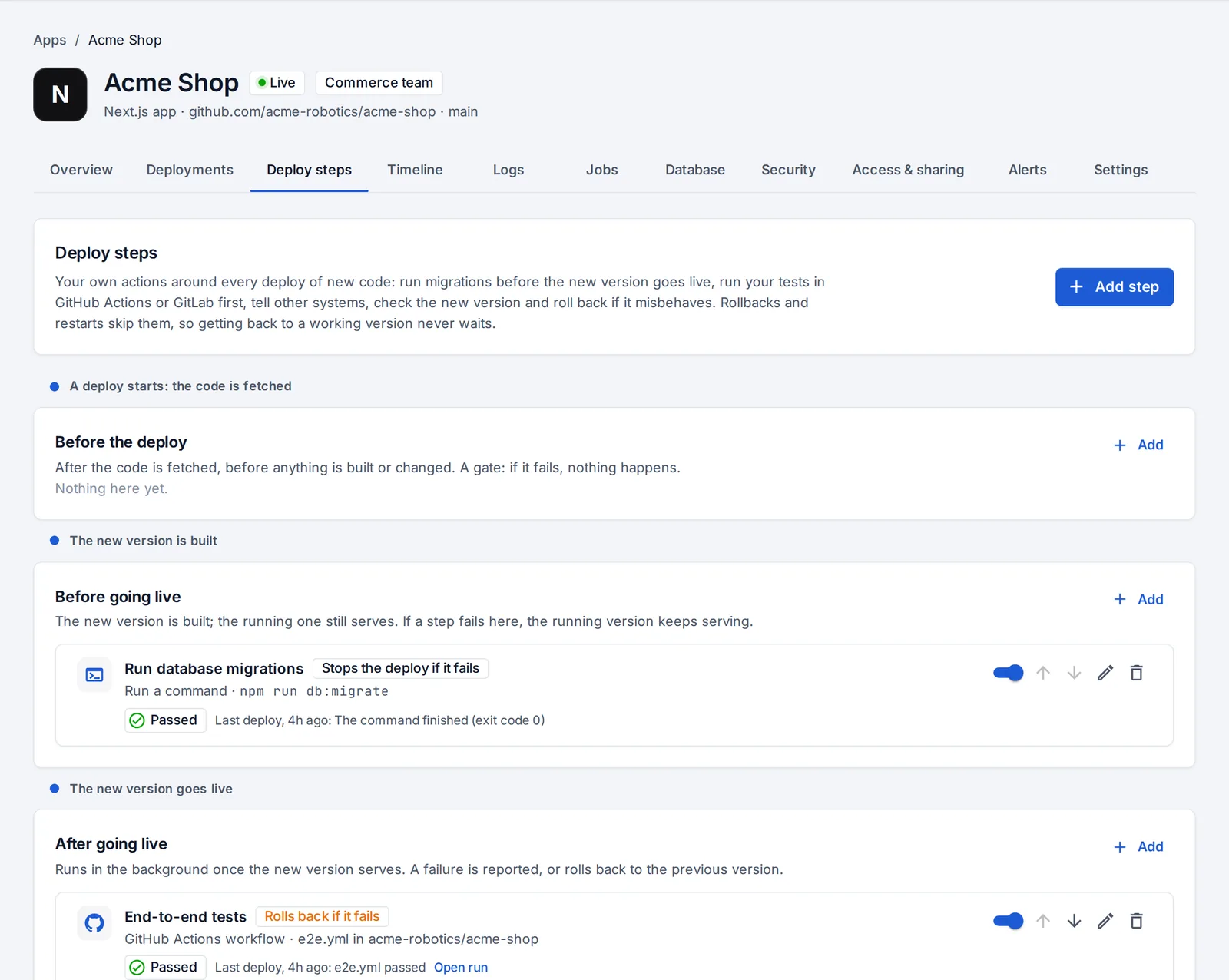
Your own steps around every deploy
Run database migrations before the new version takes traffic, gate deploys on your GitHub Actions or GitLab tests, send a webhook, check the new version over HTTP. A version that fails its checks after going live can roll itself back.
Deploy steps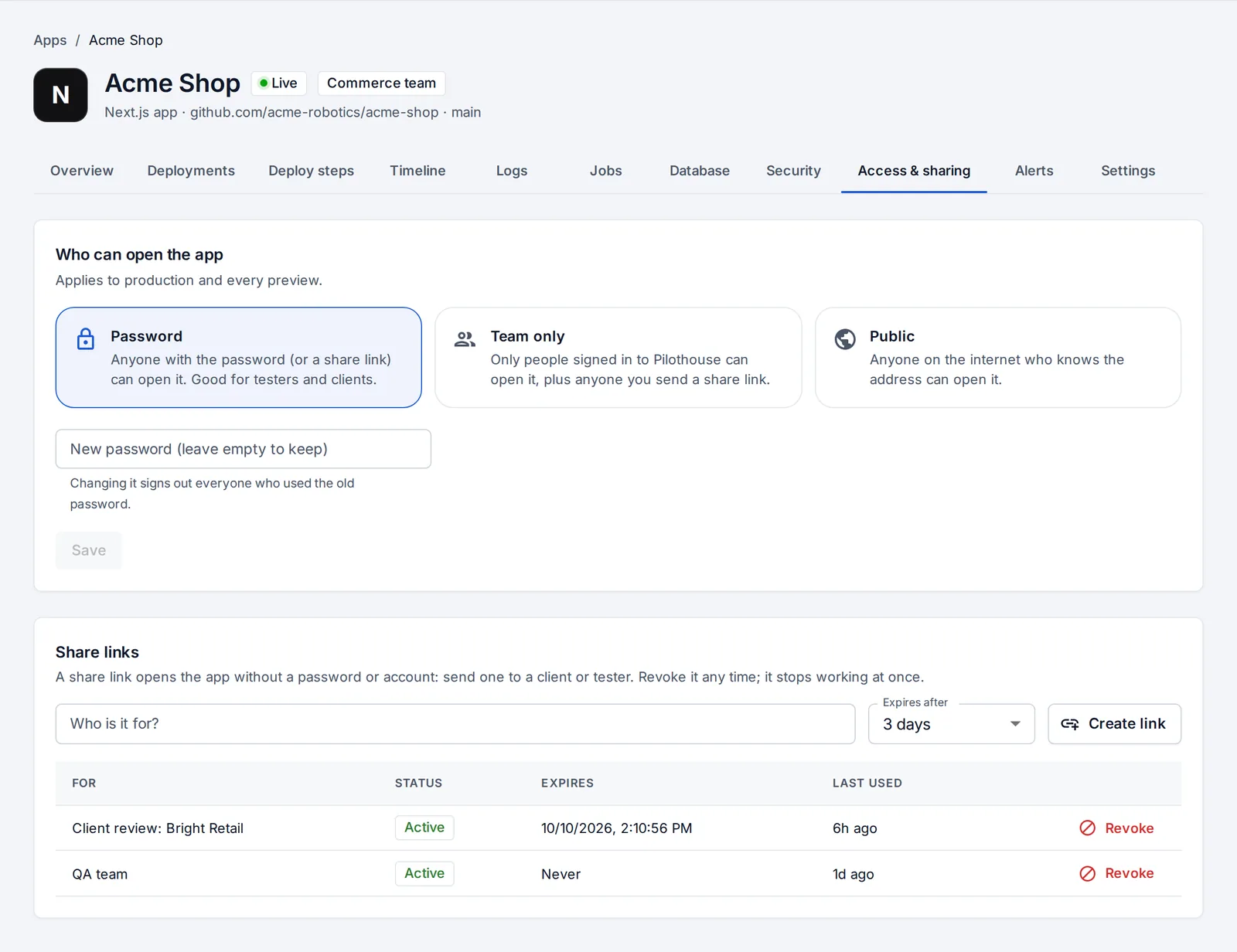
Share with a link, safely
Give testers and clients a share link that expires or can be revoked, without an account. Apps can also answer on your own domain, with HTTPS.
Who can open an appOperate
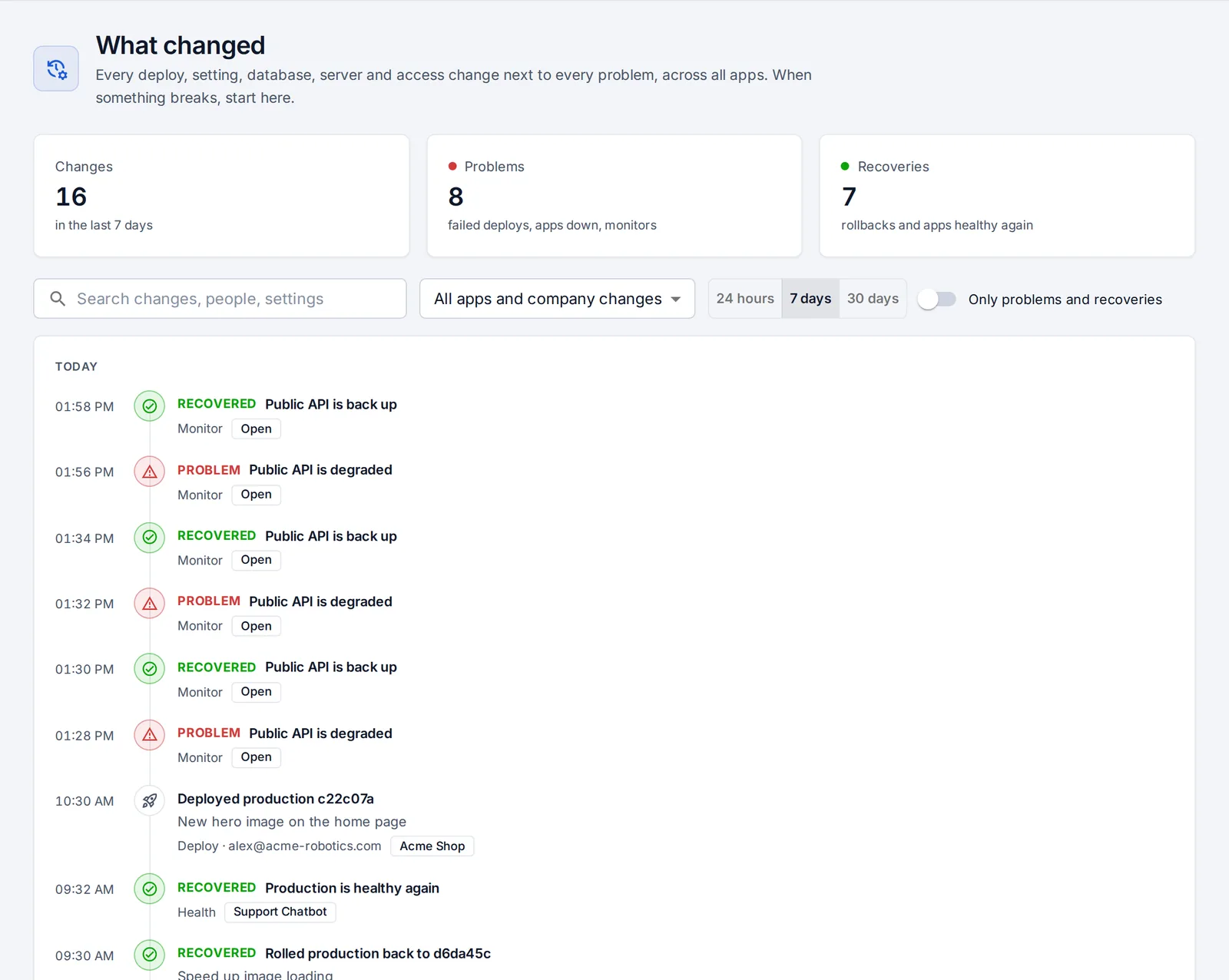
Know what changed, what broke, and what it costs
The questions you ask during an outage, and the ones you should ask before one, answered on one page each.
What changed?
One timeline for each app and one for the company. When something breaks, the changes in the 24 hours before it are listed with the most likely cause first, and a postmortem is drafted for you.
What changed and rollbacks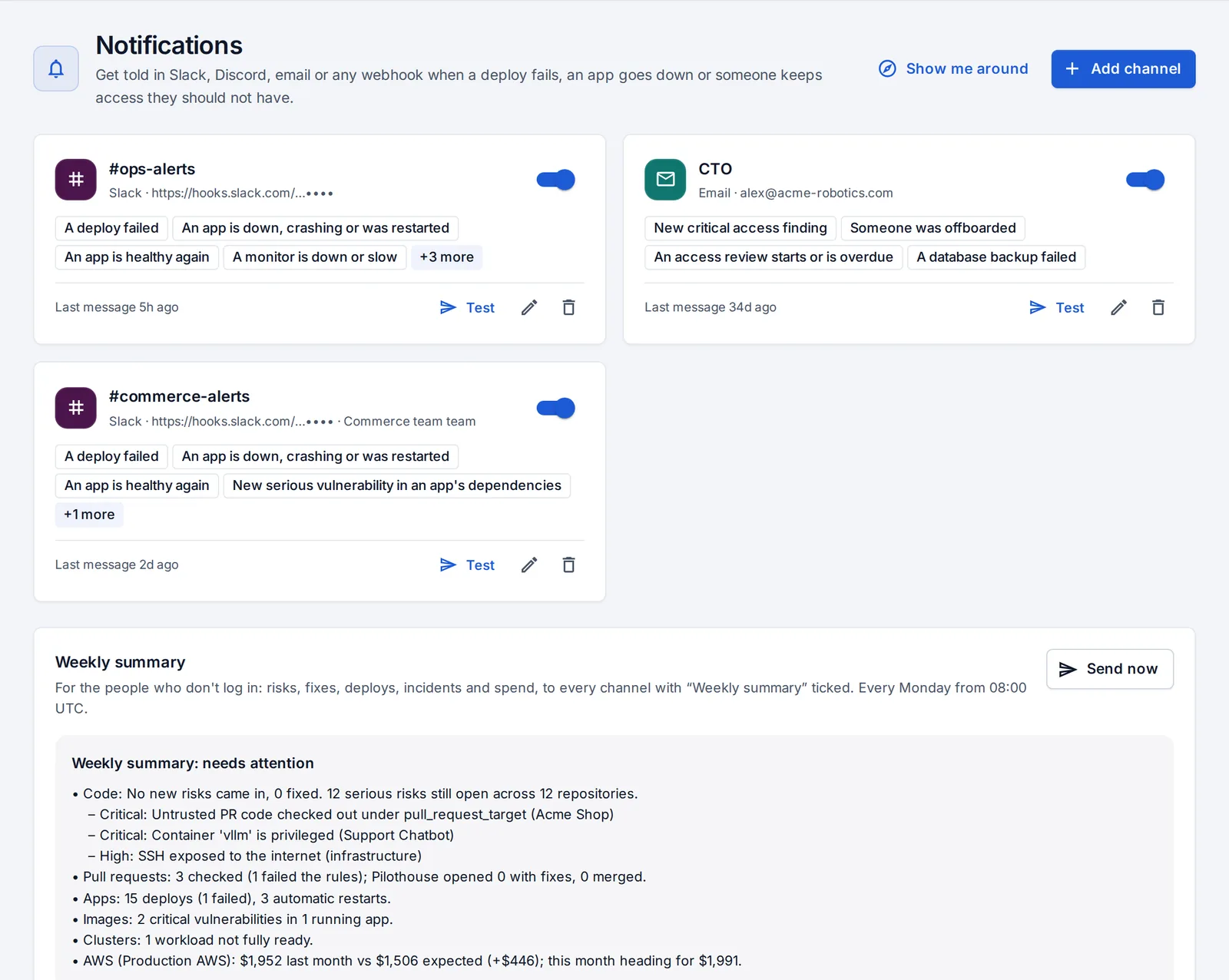
Monitors and notifications
Watch any address and hear about failed deploys, apps going down, leaked keys and more in Slack, Discord, email or a signed webhook. Repeats are held back, and a weekly summary goes out on Monday.
Monitors and notifications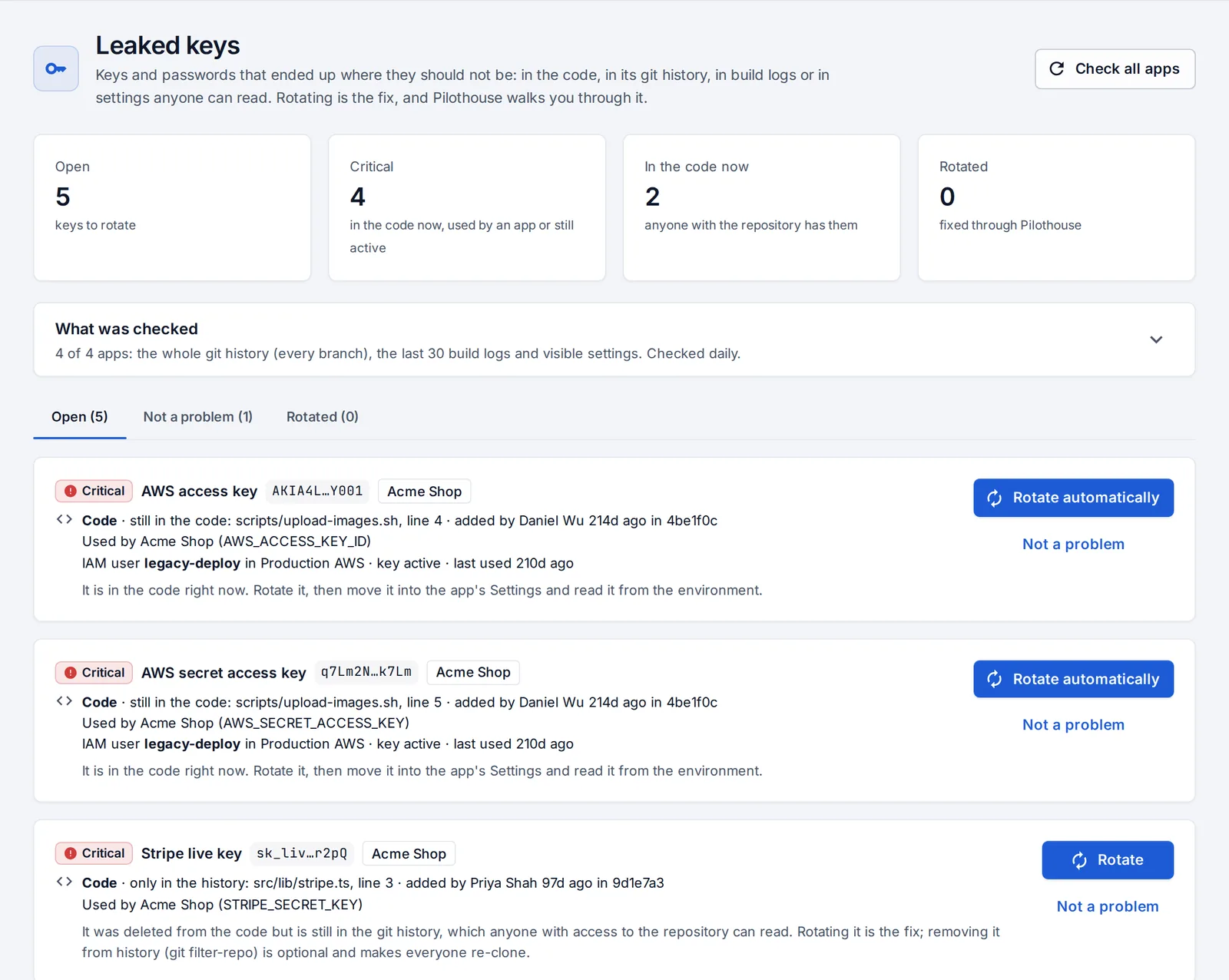
Leaked keys, rotated safely
Keys and passwords in your code, its whole git history, build logs and visible settings. Rotation is a plan: a new key goes into the apps that use it, they redeploy, and only then is the old one switched off.
Leaked keys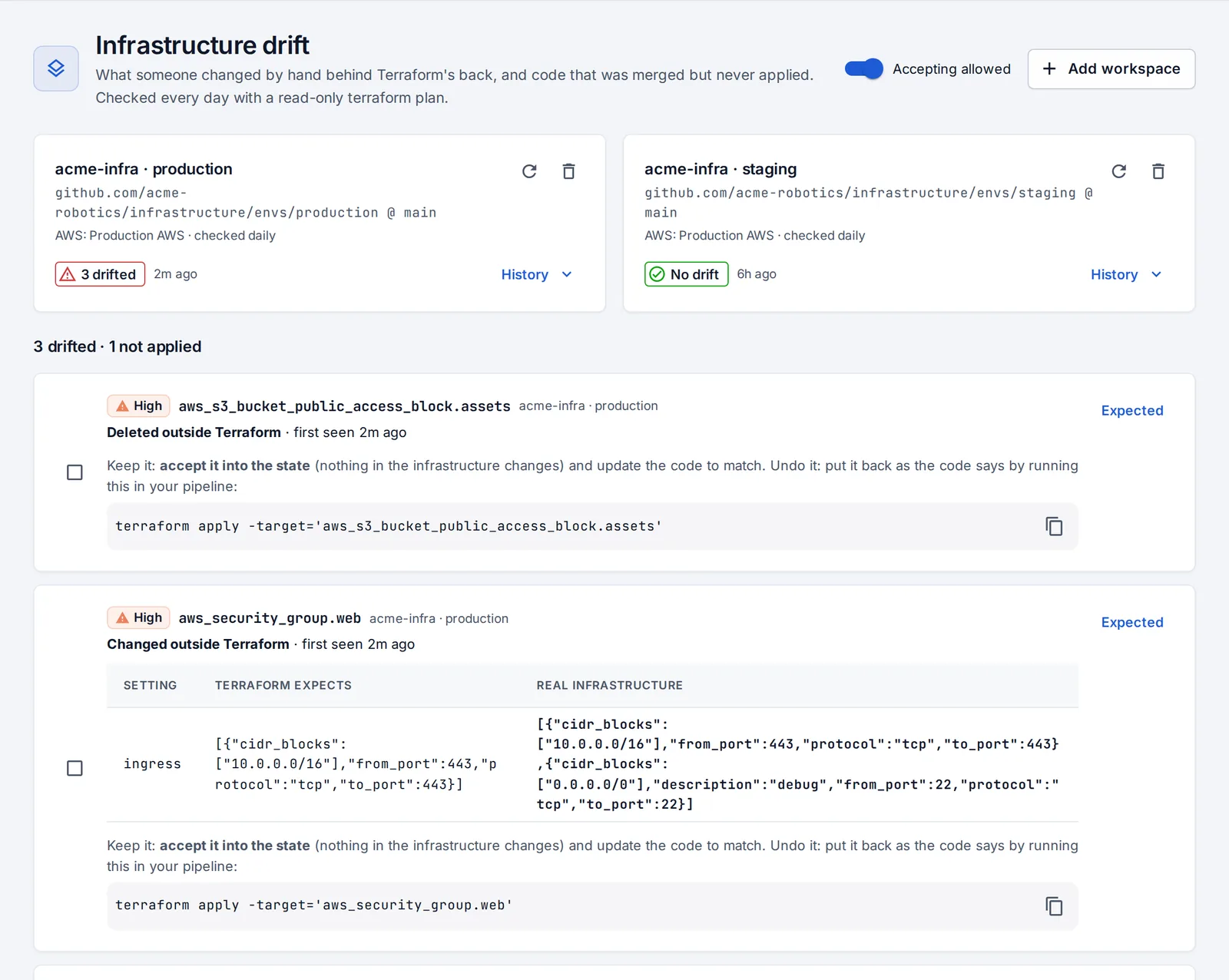
Infrastructure drift
A read-only Terraform plan, on a schedule, shows what was changed by hand and what was merged but never applied, setting by setting. Accept it into the state, or put it back as the code says.
Infrastructure drift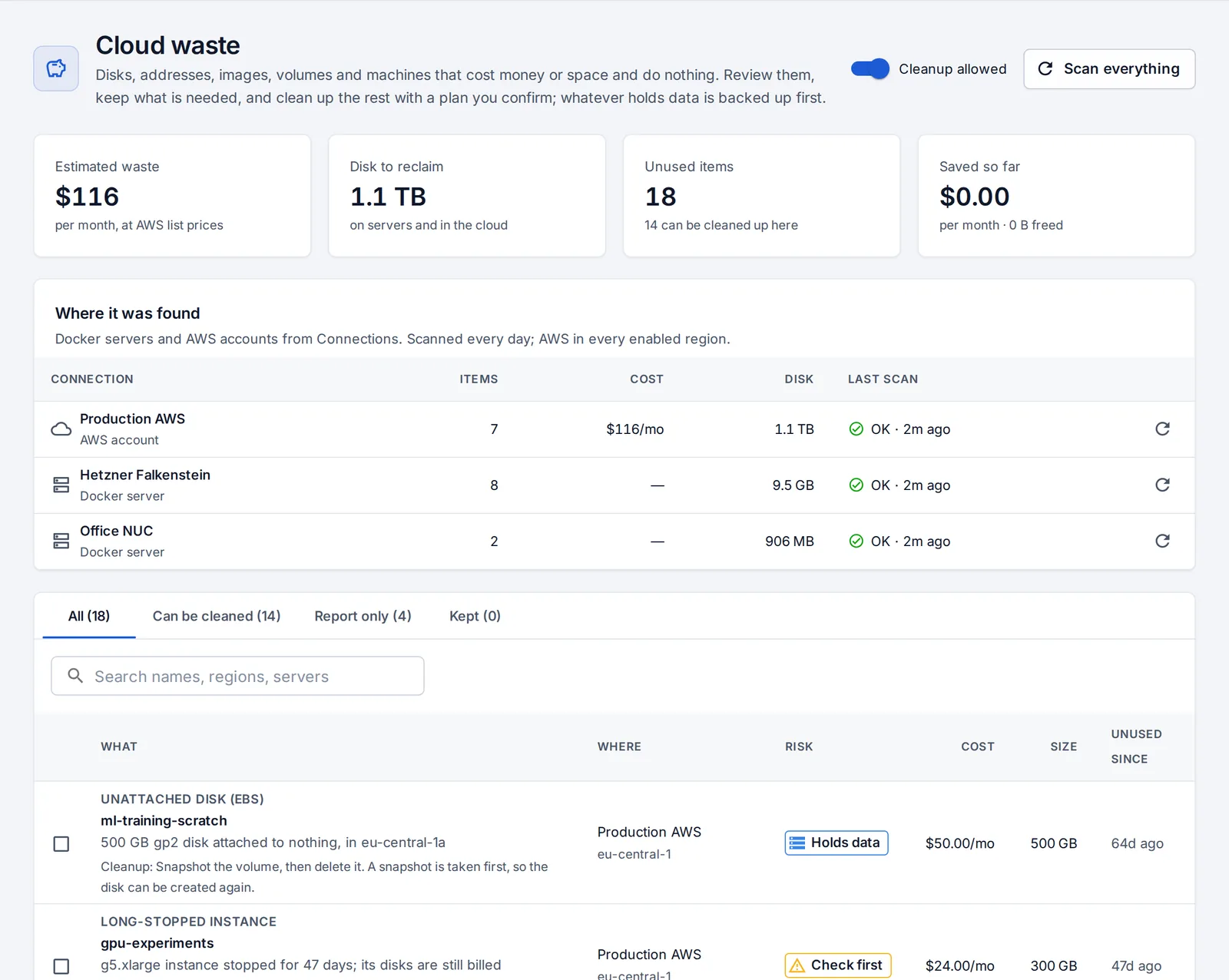
Cloud waste
Unattached disks, idle addresses, old images, stopped containers and unused volumes on your servers and in AWS, with what they cost. Cleanup backs up whatever holds data first, so it can be undone.
Cloud waste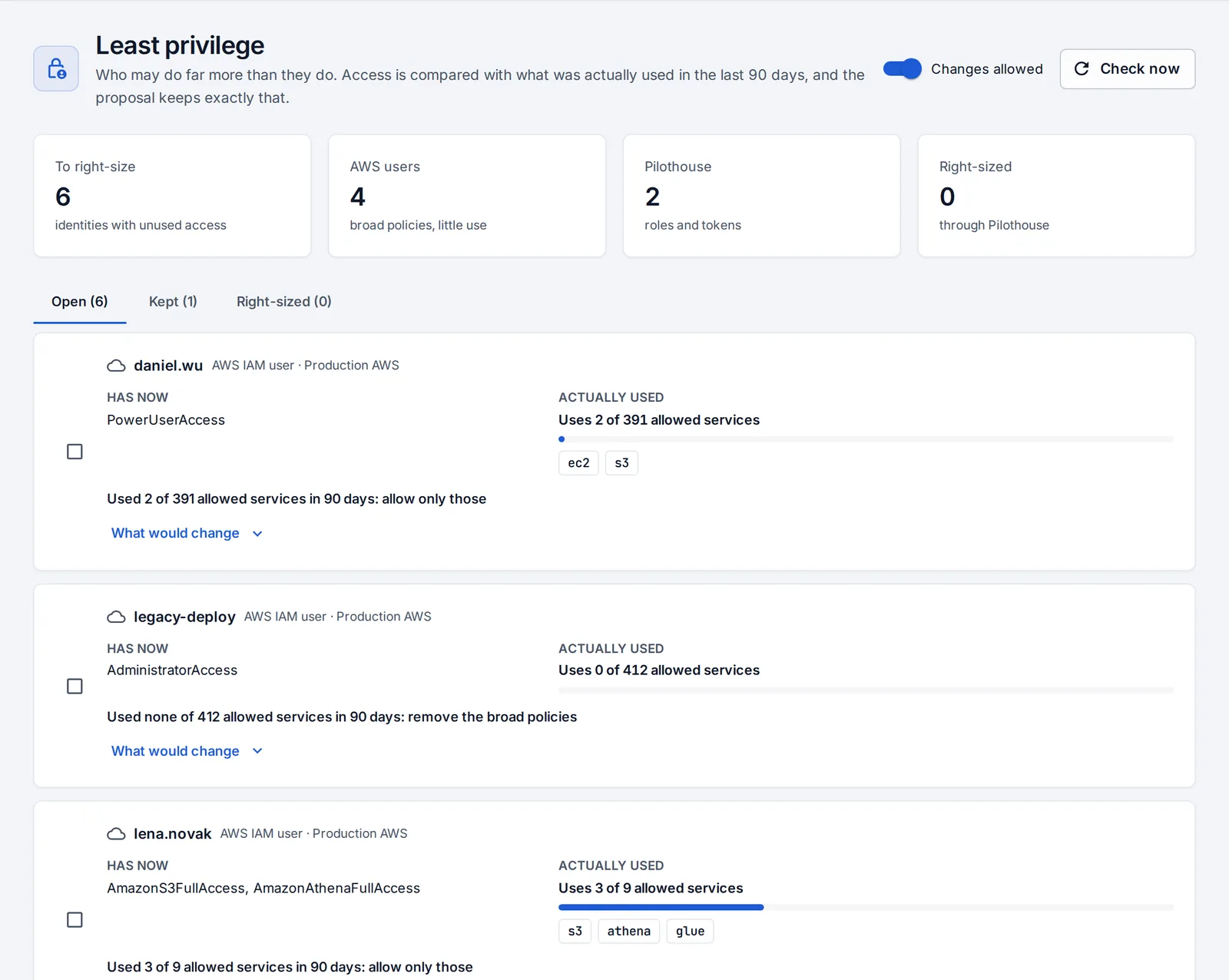
Least privilege
Compare what each AWS user and OpsNexa Online account may do with what they actually did in the last 90 days, and narrow it in a plan you confirm, with undo.
Least privilegeCode & infrastructure
Your repositories, checked on every push and fixed by pull request
Terraform, Kubernetes manifests, Helm charts, Dockerfiles and GitHub Actions workflows, in private repositories on GitHub, GitLab, Gitea or Bitbucket.
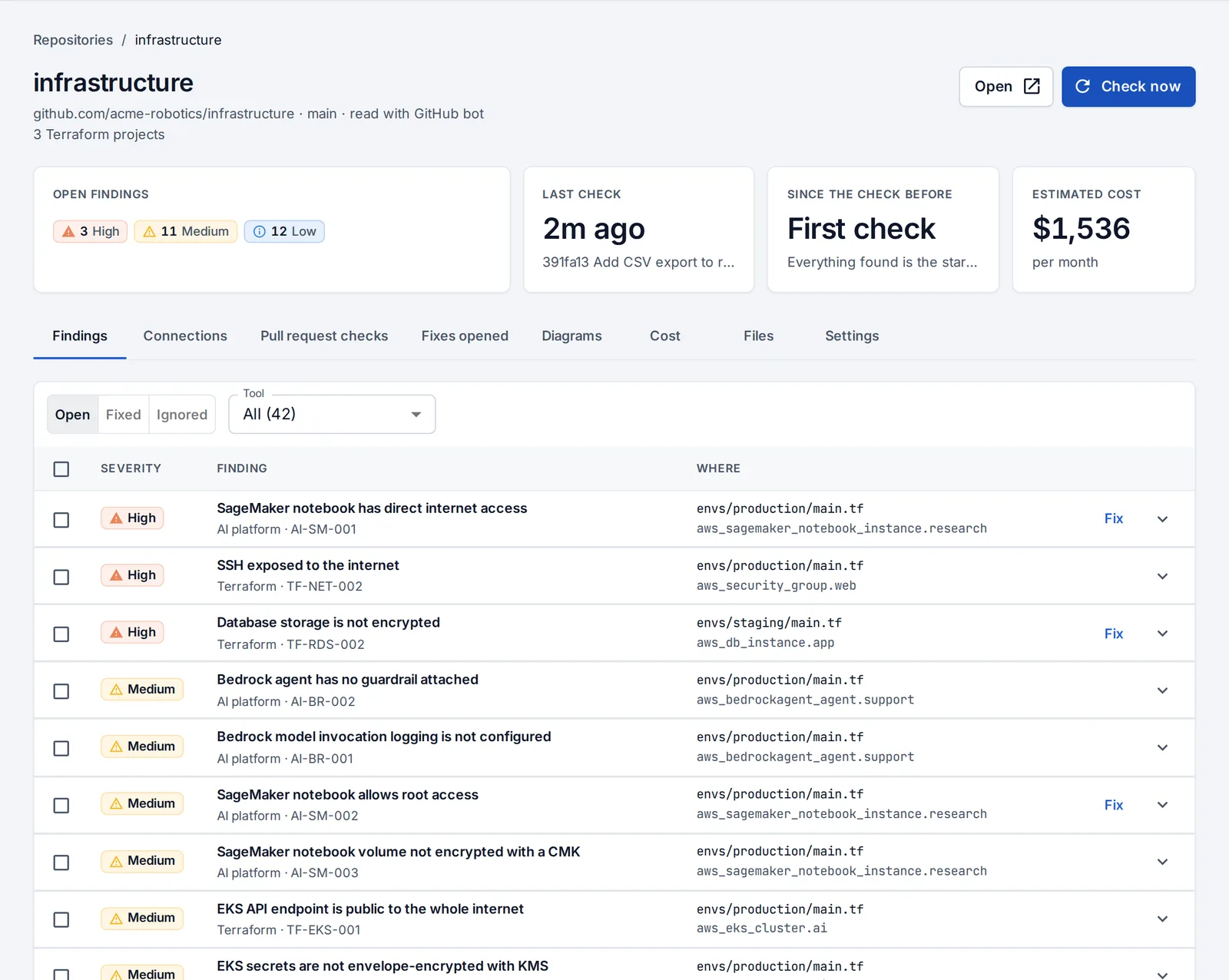
Findings, kept over time
The first check is the baseline; after that you see what each push brought in and what it fixed. Select findings and OpsNexa Online edits the files and opens one pull request. Nothing reaches your branch until someone merges it.
Repositories and checks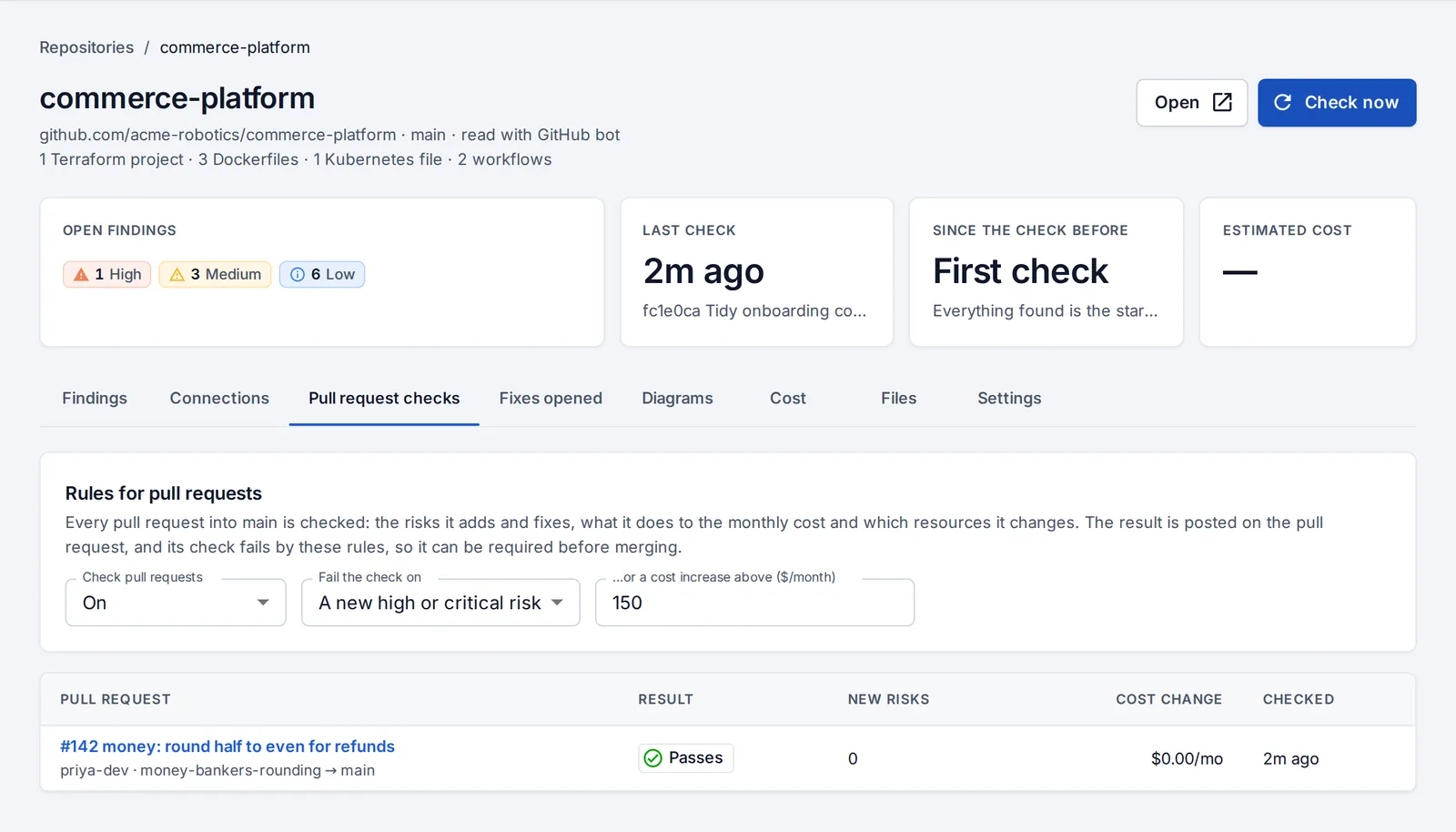
Every pull request checked
New risks, fixed ones, the monthly cost change and the resources it adds or changes, as a comment and a status on GitHub or GitLab. Decide when a check should fail.
Pull requests and fixes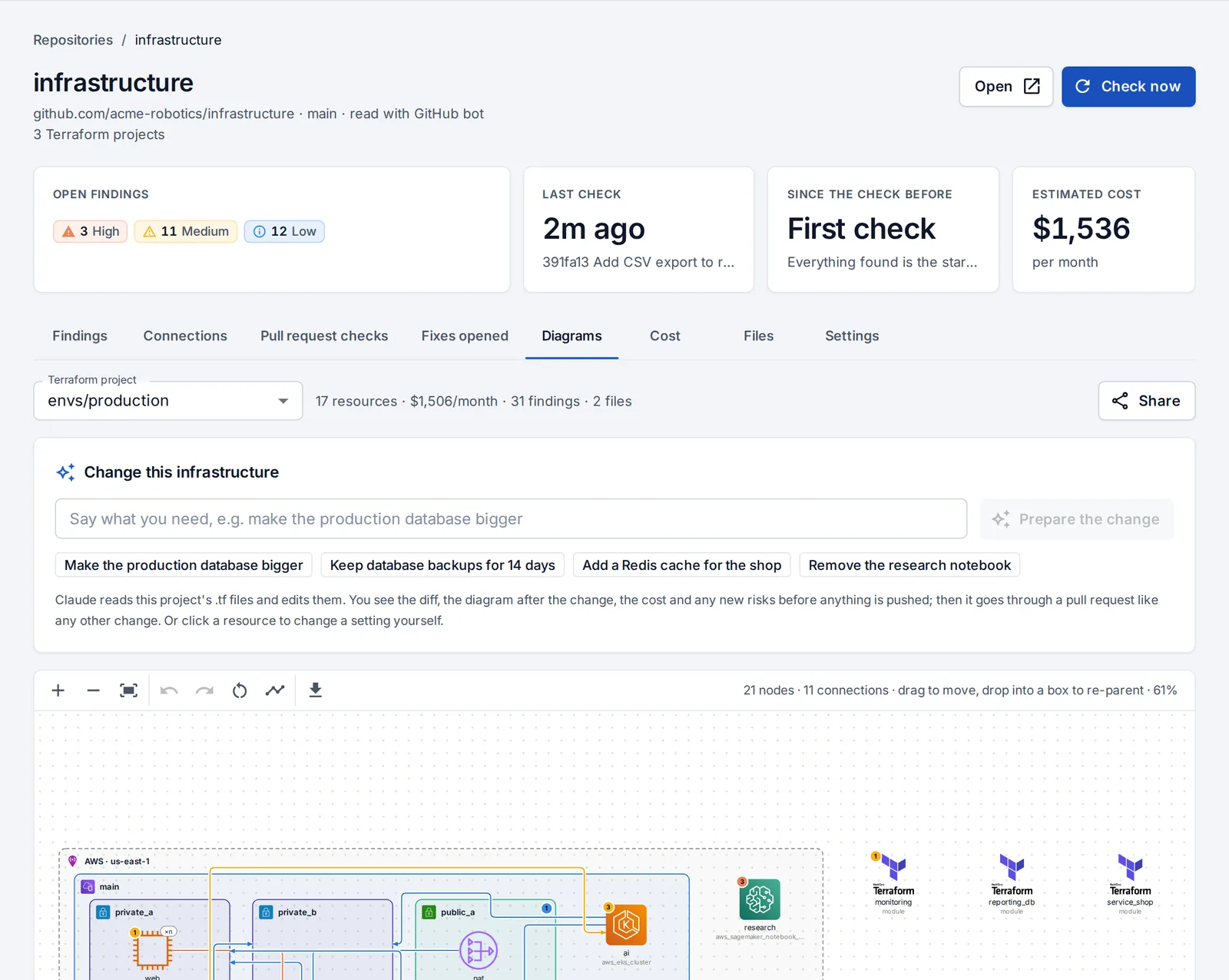
Change infrastructure from the diagram
Say what you need (“make the production database bigger”) or change a setting on the diagram. You see the diff, the diagram after, the cost before and after and any new risks, then open the pull request.
Change from the diagram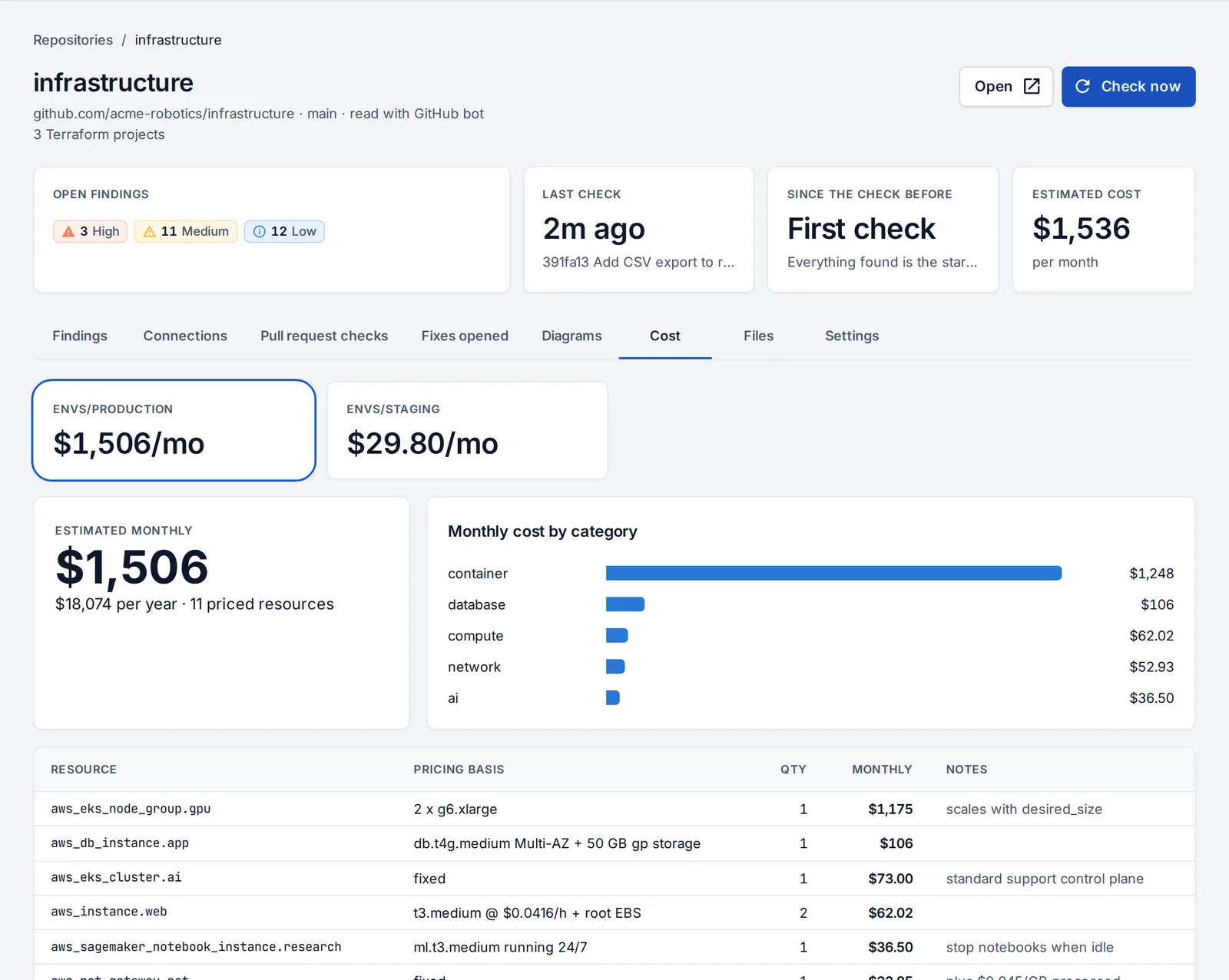
What it costs, before it costs
A monthly estimate per resource and category, next to what AWS, Google Cloud or Azure actually charged, and what your Terraform doesn’t manage at all.
Cost estimates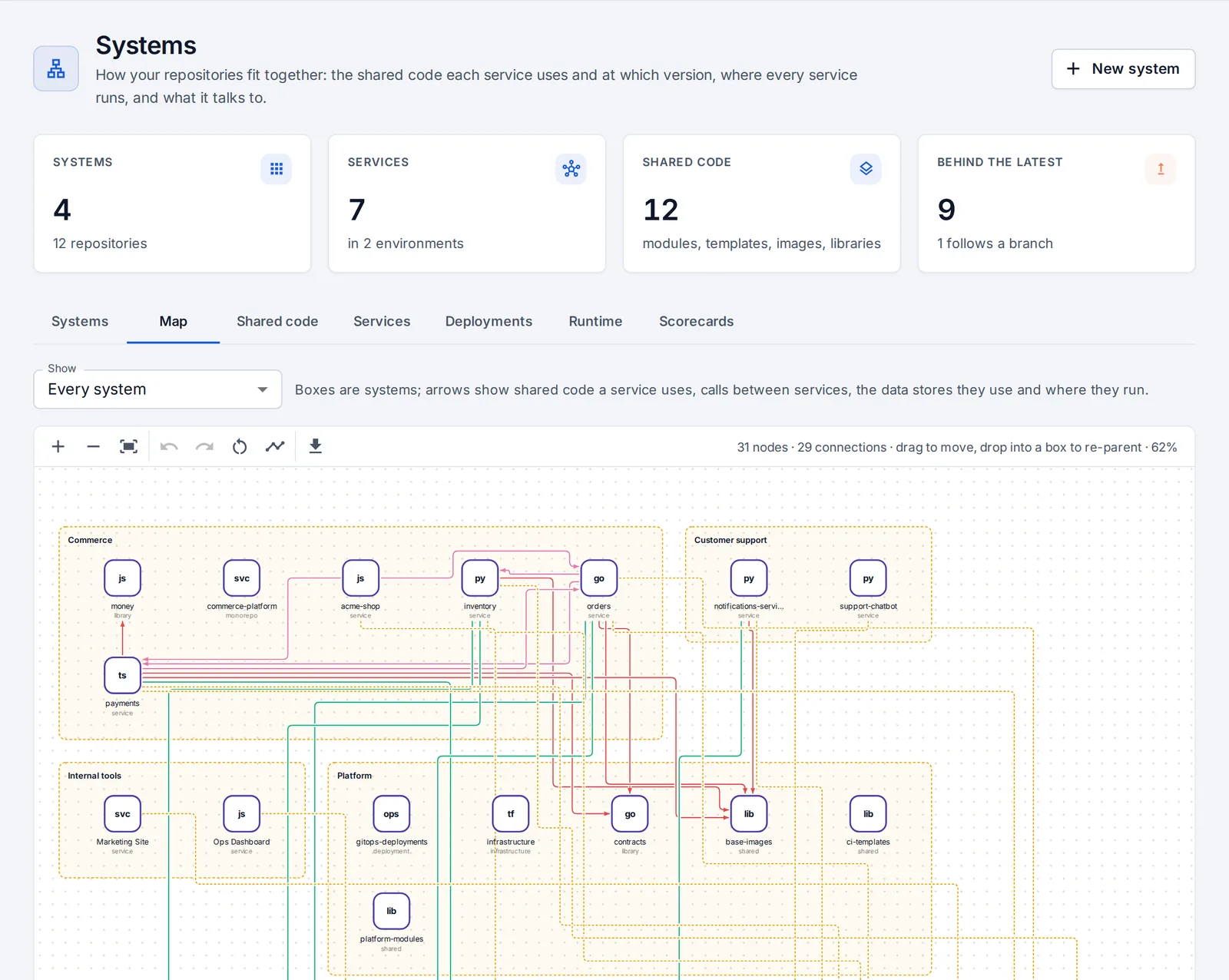
Systems, shared code and upgrades
See how repositories fit together: shared modules, workflows, images and libraries, which version each place uses, and one click to upgrade everywhere by pull request.
Systems and shared code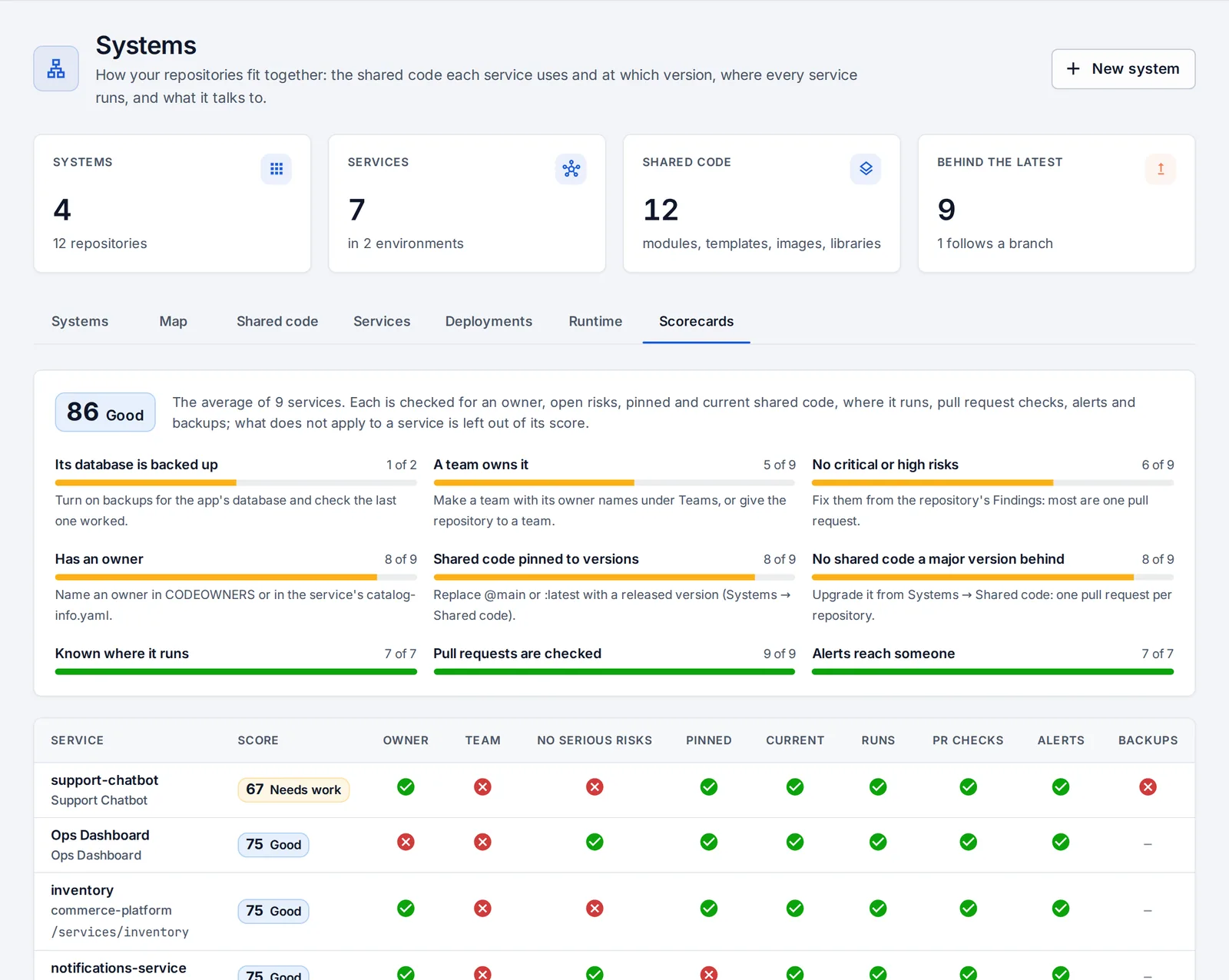
Teams and scorecards
Teams found from CODEOWNERS and your catalog, each with its services, apps and alerts. Every service is scored on nine basics, with how to fix each.
Teams and scorecardsPeople & access
Everyone’s access, on every platform, in one list
GitHub, GitLab, Kubernetes, your servers, AWS, Google Cloud, Azure, Cloudflare, Grafana, Sentry, PagerDuty and OpsNexa Online itself.
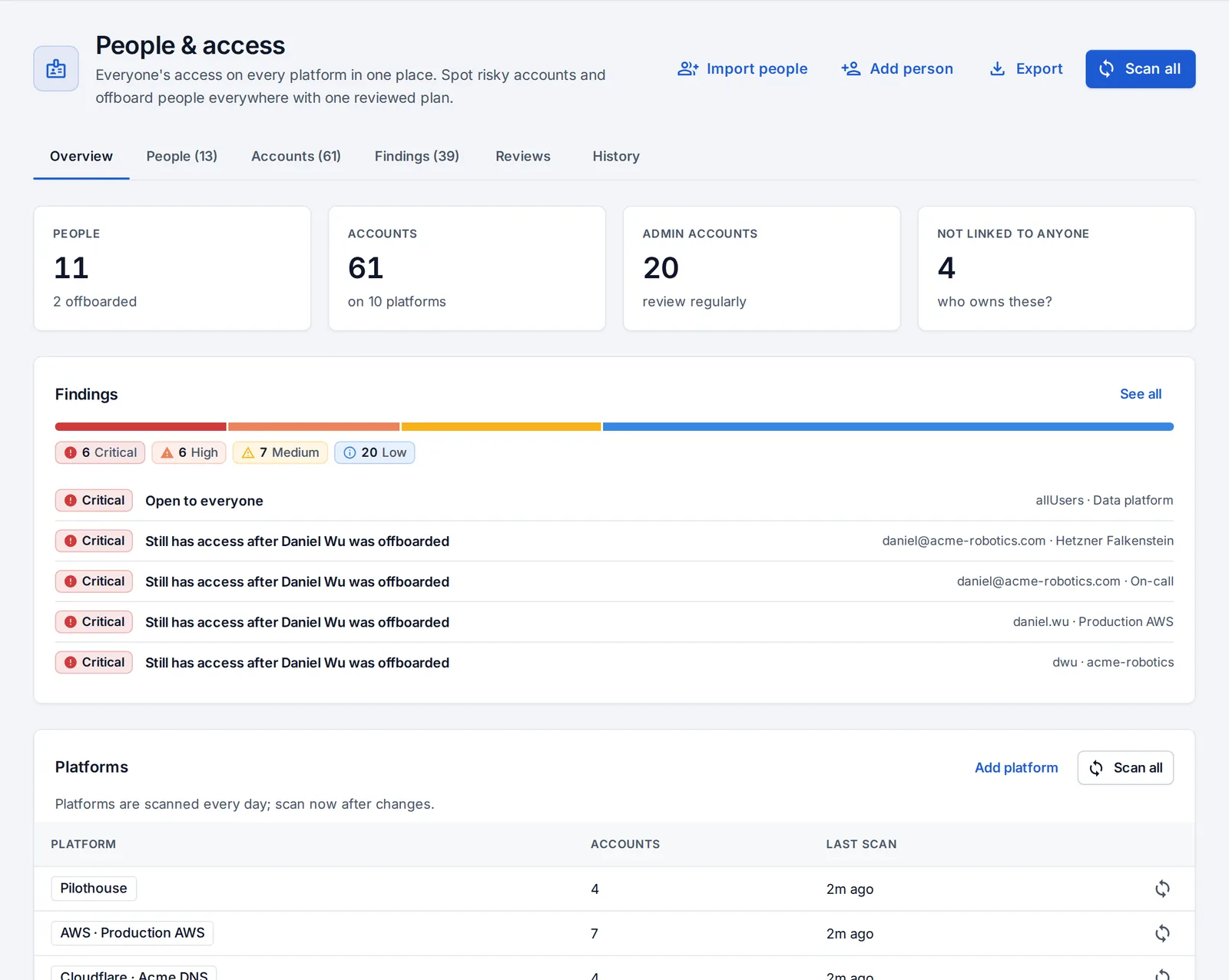
One list per person
Accounts on every platform matched to the person by email and username. Daily scans flag access open to everyone, leavers who kept access, admins without two-factor sign-in and old keys.
People and access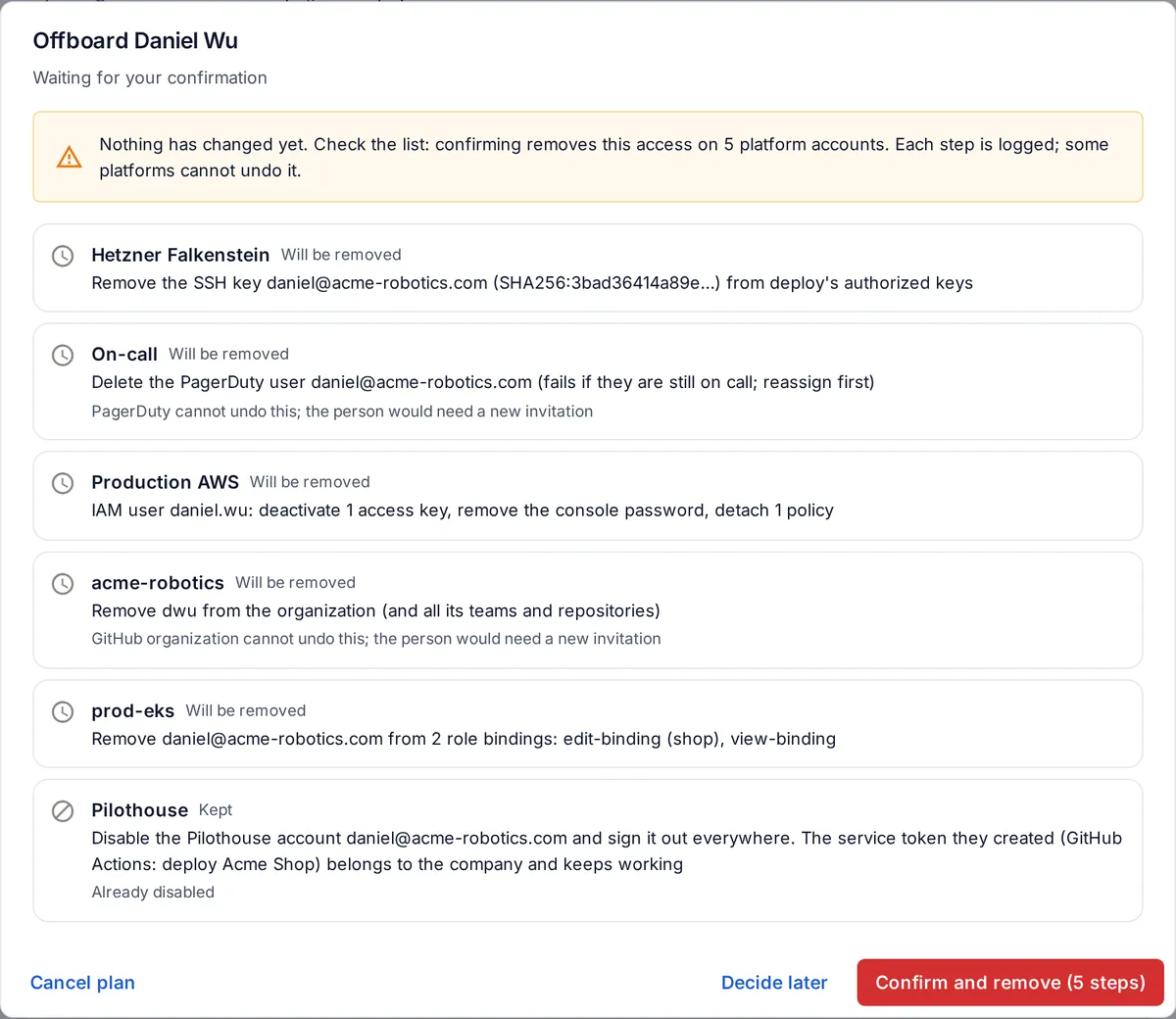
Offboarding in one plan
Every place they have access and exactly what will happen there. Nothing changes until you confirm, failures on one platform don’t stop the others, and most steps can be undone.
Offboarding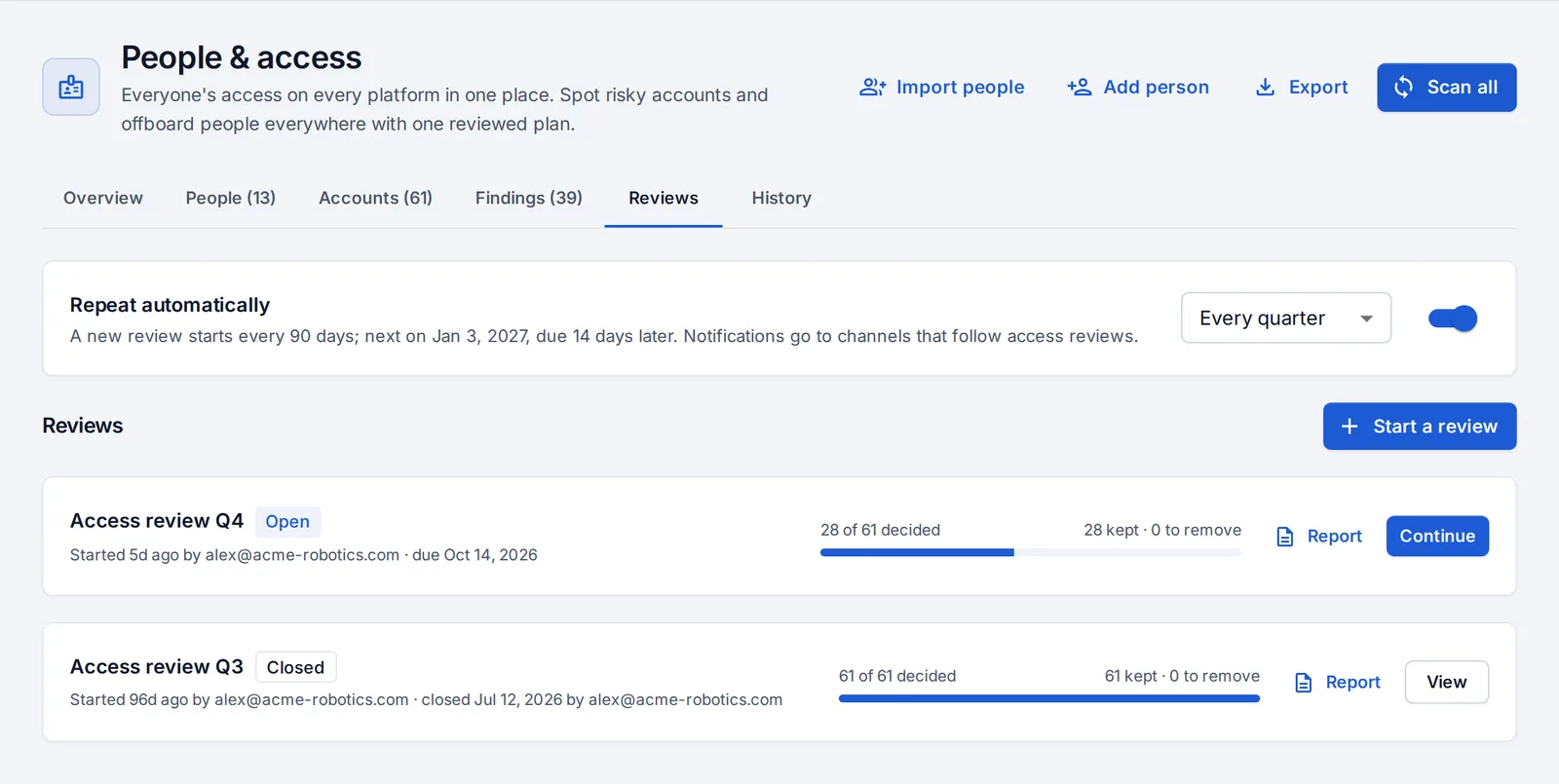
Access reviews
The periodic review SOC 2 and ISO 27001 ask for: a snapshot of every account with a suggestion for each, your decisions and notes, and removals as one plan.
Access reviews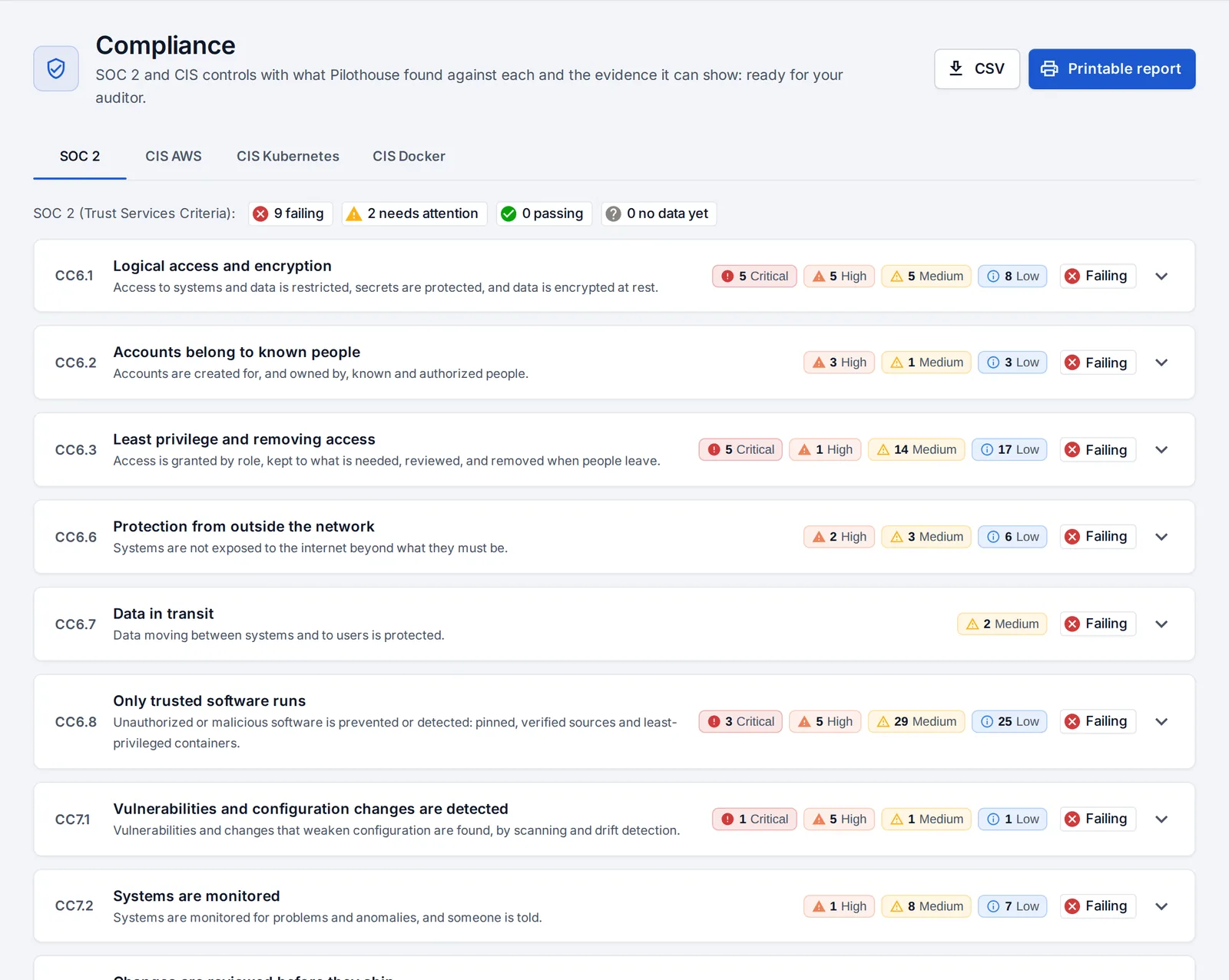
Compliance evidence and the audit log
SOC 2 and CIS controls with the findings against each and the evidence in place, as a page, a CSV and a printable report. Every change in OpsNexa Online is in the audit log.
Compliance and audit logTeam & sign-in
The right access for everyone, from day one
Four roles, single sign-on, two-step sign-in and tokens for automation.
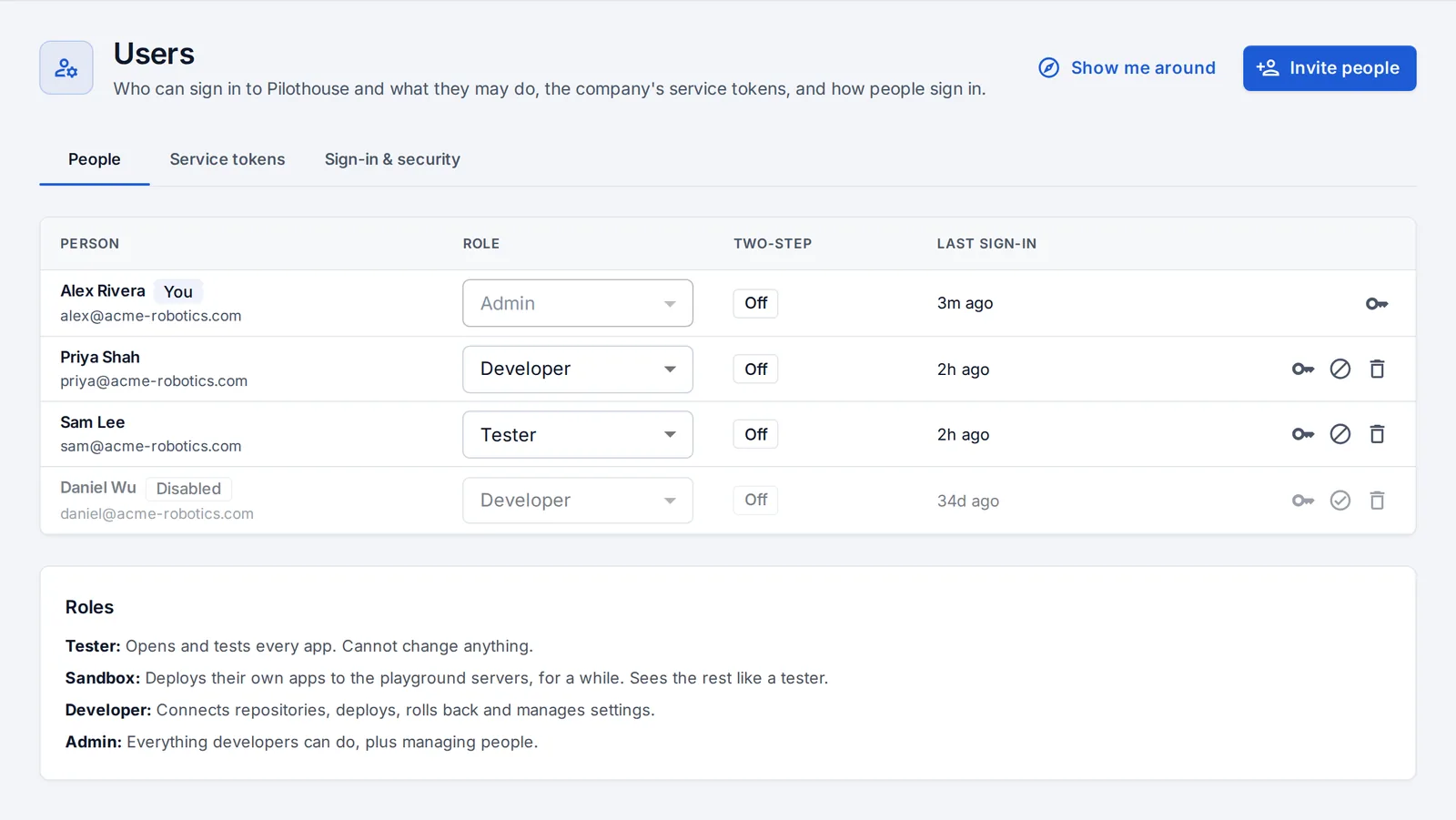
Invite people with a role
Testers look, sandbox accounts try deploying on servers you set aside, developers change things, admins manage people and billing. Or let anyone with a company email join.
Invite your team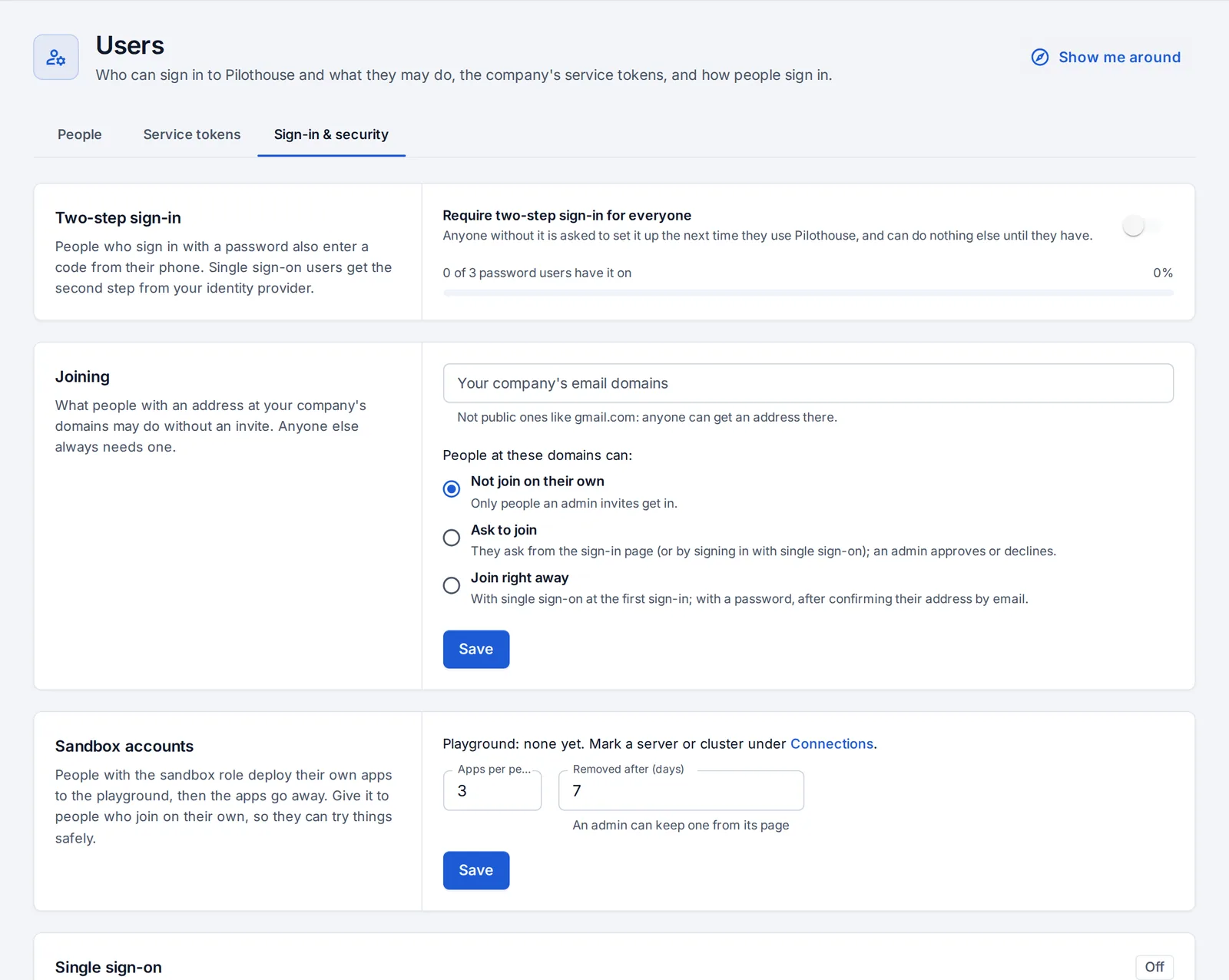
Single sign-on and two-step sign-in
Google Workspace, Microsoft Entra ID, Okta or any OpenID Connect provider. Require two-step sign-in for everyone; see every signed-in browser.
Sign-in and securityTry every part of it free for 14 days
Every plan includes everything on this page.