
DocsShip apps
Databases and backups
Add PostgreSQL or Redis next to an app, with nightly backups, one-click restores, restore drills that prove they work, and masked production data for previews.
Open an app’s Database tab and add PostgreSQL (for the app’s data) or Redis (for caches, sessions and queues).
OpsNexa Online starts it on the same server as the app, on a private network only the app can reach, with its data on a Docker volume. Its address and a generated password go into the app’s settings as DATABASE_URL or REDIS_URL (or a name you choose), and the app redeploys to pick them up.
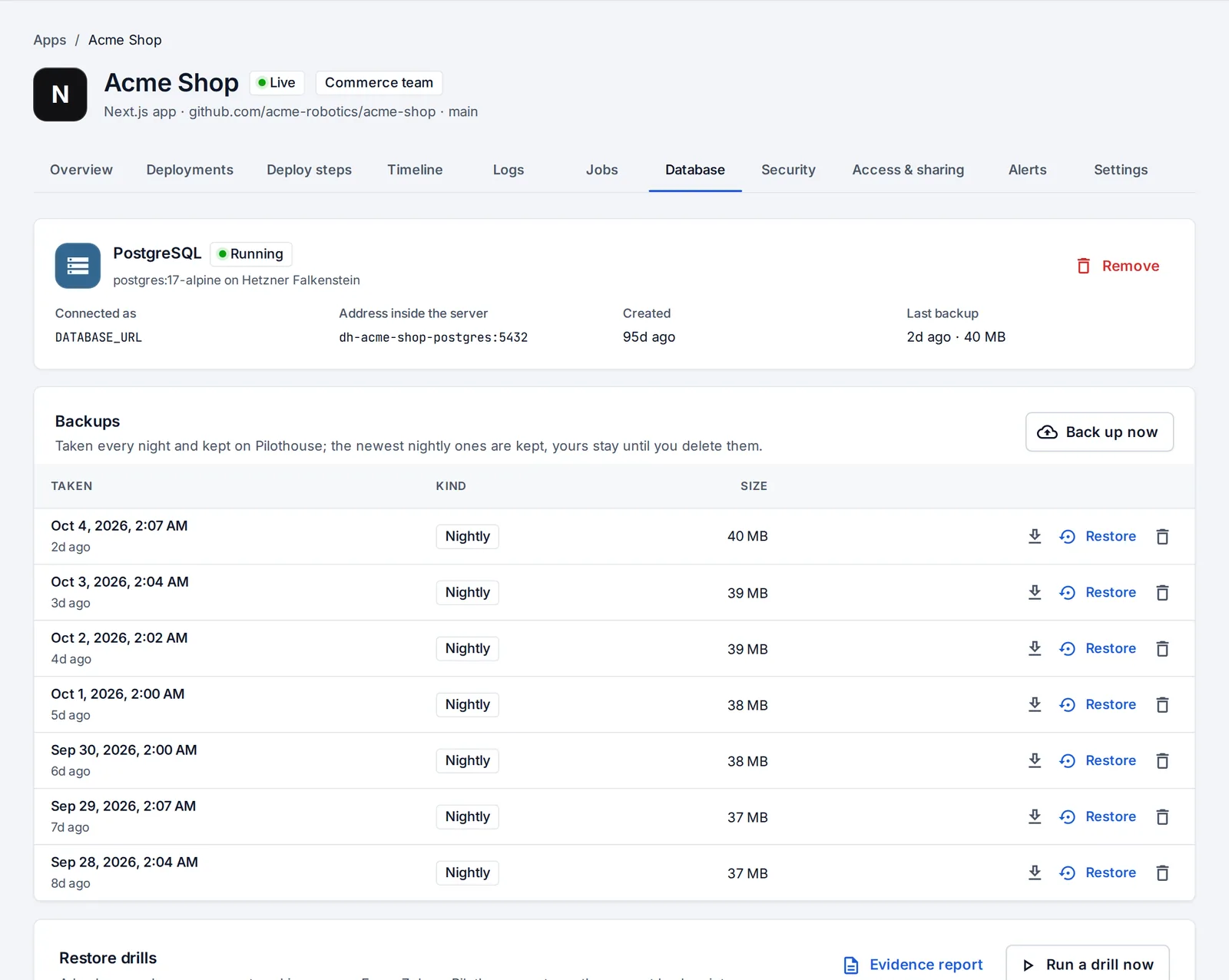
Backups
- PostgreSQL is backed up every night. The newest nightly backups are kept; backups you take yourself with Back up now stay until you delete them.
- Any backup can be downloaded or restored in one click. Before a restore, OpsNexa Online backs up the current data, so a restore can itself be undone.
- Redis keeps its data on the server’s disk and isn’t backed up.
- Removing a database keeps its data volume, unless you ask for everything to be deleted.
Restore drills
A backup nobody has restored is a guess. Every week (and whenever you press Run a drill now), OpsNexa Online restores the newest backup into a throwaway container with no network, on the same server, then checks:
- the restore finished without errors;
- tables and rows came back (exact counts);
- every table of the live database is in the backup;
- the backup was recent;
- and, if you set one, that your check query returns something (a read-only
SELECT, likeSELECT count(*) FROM orders).
The time it took is shown as your typical restore time. The throwaway container is always deleted, and the live database is only asked for its table statistics. A failed drill shows on Home and sends a notification. Evidence report is a printable record of every drill, for auditors and security questionnaires.
Data in previews
By default a preview uses the app’s settings, so it reads and writes the production database. On the Database tab an admin can give every preview its own PostgreSQL instead:
- Empty: a fresh database per preview.
- A copy of production with personal data masked.
A masked copy is made in a container with no network. Columns holding personal data (found by name: emails, names, phone numbers, addresses, birth dates, IP addresses, password hashes and tokens, bank, card and ID numbers, free-text notes; adjustable per column) are replaced with values derived from the original and a random salt, so they stay consistent and unique but can’t be turned back. Then every text column is checked for any real-looking email. Only if none is left does the preview get the database; otherwise the copy is deleted and the deploy fails, naming the columns that need a rule.
Something unclear or missing? Tell us, or press the ? at the top of OpsNexa Online for the guide and tours inside the product.