
DocsOperate
Cloud waste
Find what costs money or disk space and does nothing, on your servers and in AWS, and clean it up safely with backups first.
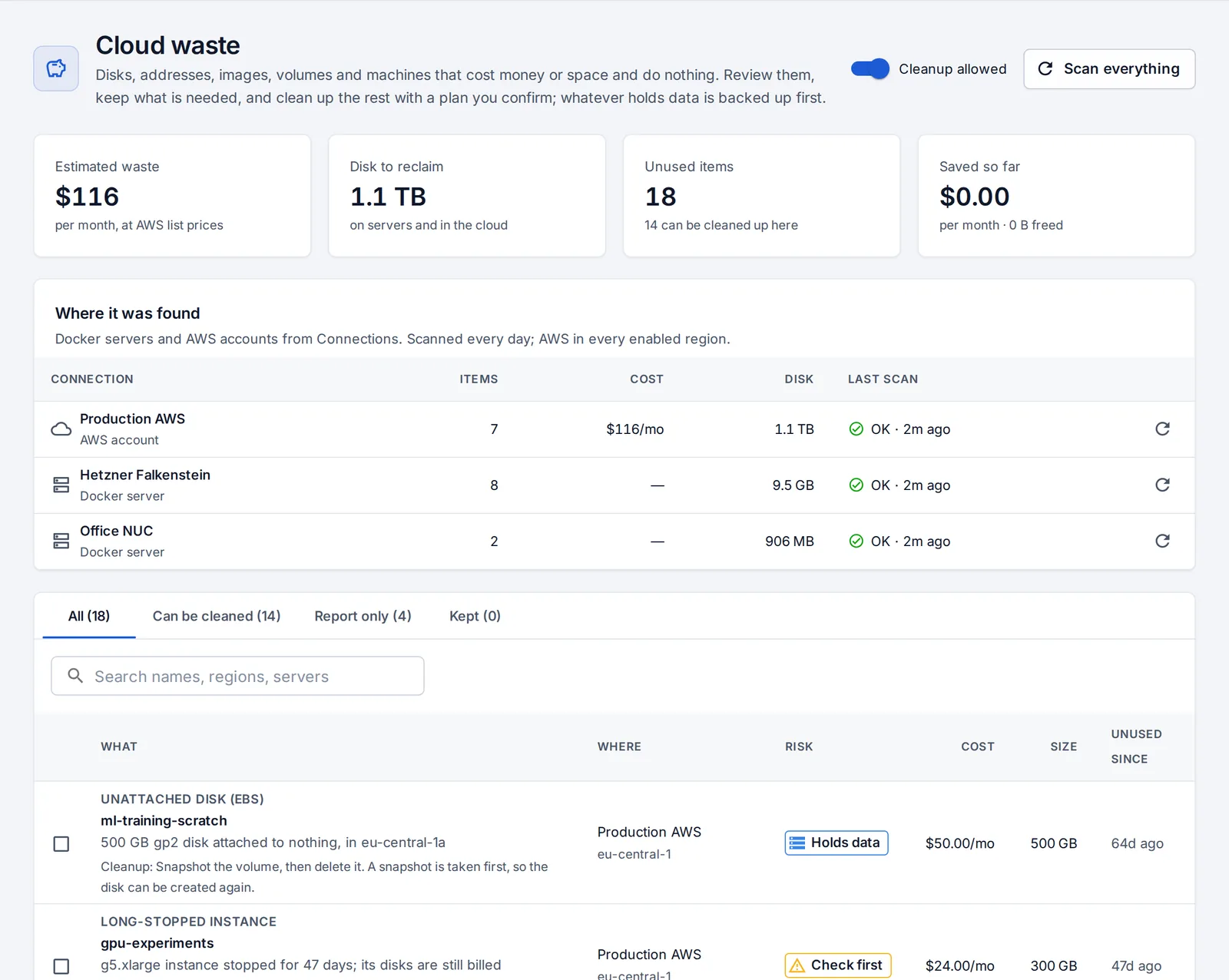
Cloud waste lists what costs money or disk space and does nothing, with an estimated monthly cost and size. It’s scanned every day and on demand.
What it finds
On your servers: stopped containers of old app versions, leftover restore-drill containers, app images outside each app’s rollback window, untagged images, volumes no container uses (often the data of a removed database) and the build cache. Containers, images and volumes OpsNexa Online didn’t create are never removed.
In AWS (every enabled region): unattached EBS volumes, old snapshots of disks that no longer exist, Elastic IPs attached to nothing, instances stopped for weeks, and load balancers with no targets.
Clean up safely
It starts review only: nothing is removed until an admin turns on Cleanup allowed. Then:
- Select what to clean up and press Plan cleanup. OpsNexa Online shows the plan, step by step.
- Steps that can’t be undone (releasing an IP, removing an image or a stopped container, clearing the build cache) are marked before you confirm.
- Confirm. Right before each step, OpsNexa Online checks the resource is still unused, and leaves it alone if not.
- Whatever holds data is backed up first: volumes are archived and EBS volumes are snapshotted, so Undo puts them back.
Snapshots, stopped instances and load balancers are only reported, with advice: decide in the AWS console. Keep moves anything that’s needed off the list, with the reason.
Something unclear or missing? Tell us, or press the ? at the top of OpsNexa Online for the guide and tours inside the product.