
DocsPeople and access
Offboarding
Remove someone’s access from every platform in one reviewed plan. Nothing changes until you confirm, and most steps can be undone.
When someone leaves, their access should leave with them, everywhere. OpsNexa Online builds one plan across every connected platform.
- Open People & access and open the person.
- Press Offboard….
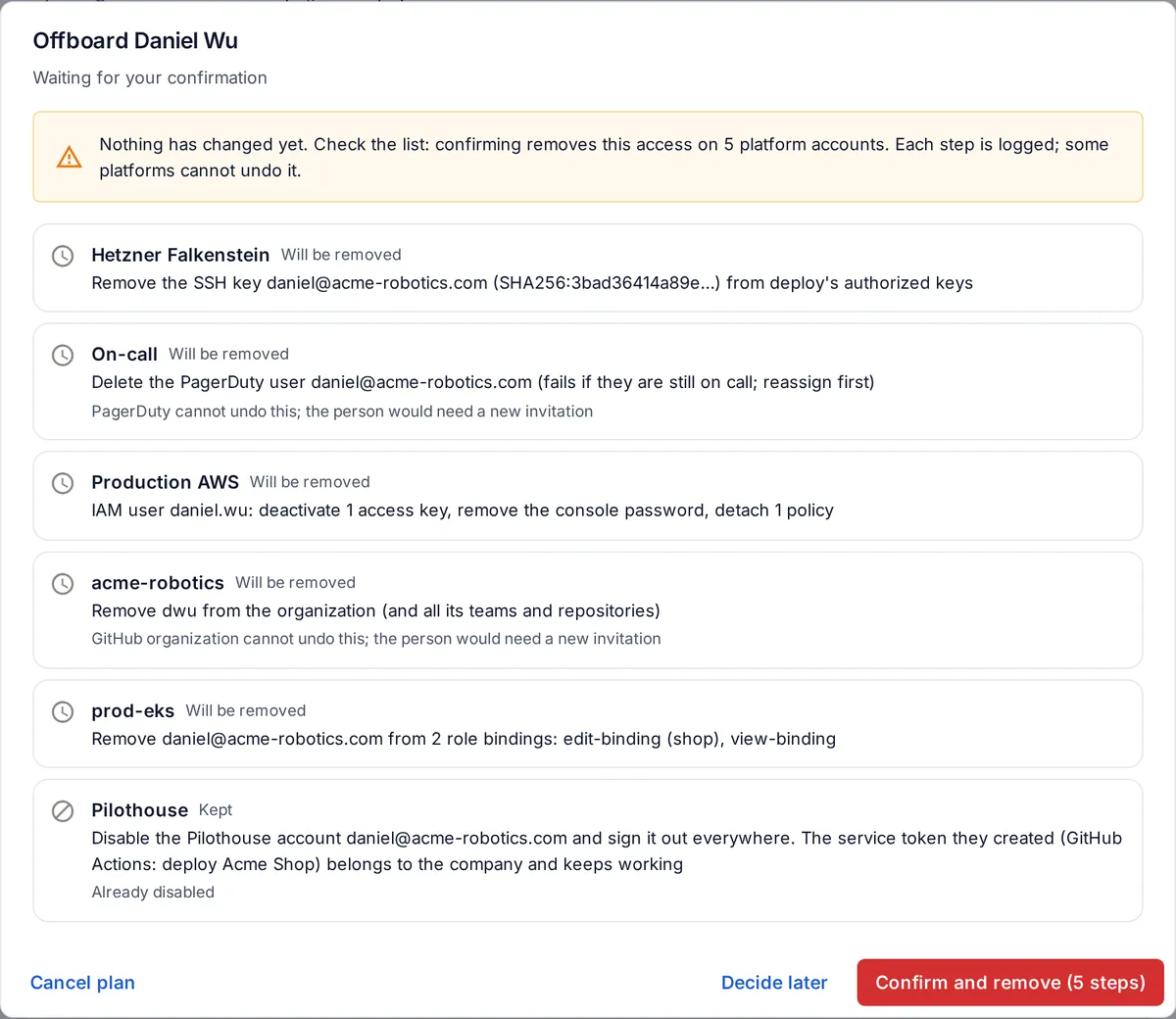
- OpsNexa Online lists every place they have access and exactly what it will do there: remove them from the GitHub organization, take them out of Kubernetes role bindings, deactivate their AWS keys, disable their SSH keys and lock their server account, disable their OpsNexa Online account, and so on.
- Read the plan, then press Confirm and remove. Or Decide later to keep the plan waiting.
While it runs
- Steps run one by one. A failure on one platform doesn’t stop the others.
- Every step is logged, with who confirmed it.
- Undo is offered wherever the platform allows it (Kubernetes, servers, AWS, Google Cloud, Azure, GitLab, Grafana, OpsNexa Online). Some platforms can’t undo (removing someone from a GitHub organization means a new invitation); the plan says so before you confirm.
What’s never touched
- The credential OpsNexa Online itself uses on each platform.
- Your own account.
- Service tokens the person created. They belong to the company and keep working (see API and service tokens).
Something unclear or missing? Tell us, or press the ? at the top of OpsNexa Online for the guide and tours inside the product.