
DocsCode and infrastructure
Teams and scorecards
Say who owns what, give teams their own alerts, permissions and approvals, and score every service on nine basics.
Teams
Teams says who owns what. OpsNexa Online suggests the teams it finds in Backstage catalog-info.yaml groups and CODEOWNERS (@acme/payments), with the people in them who have accounts. Make one in a click and pick its leads.
A team owns every service whose owner names match, the repositories and systems you give it, and the apps built from those repositories. Its page shows its people, services, apps and what runs in production, recent deploys, shared code it should upgrade, its scorecard and its alert channels.
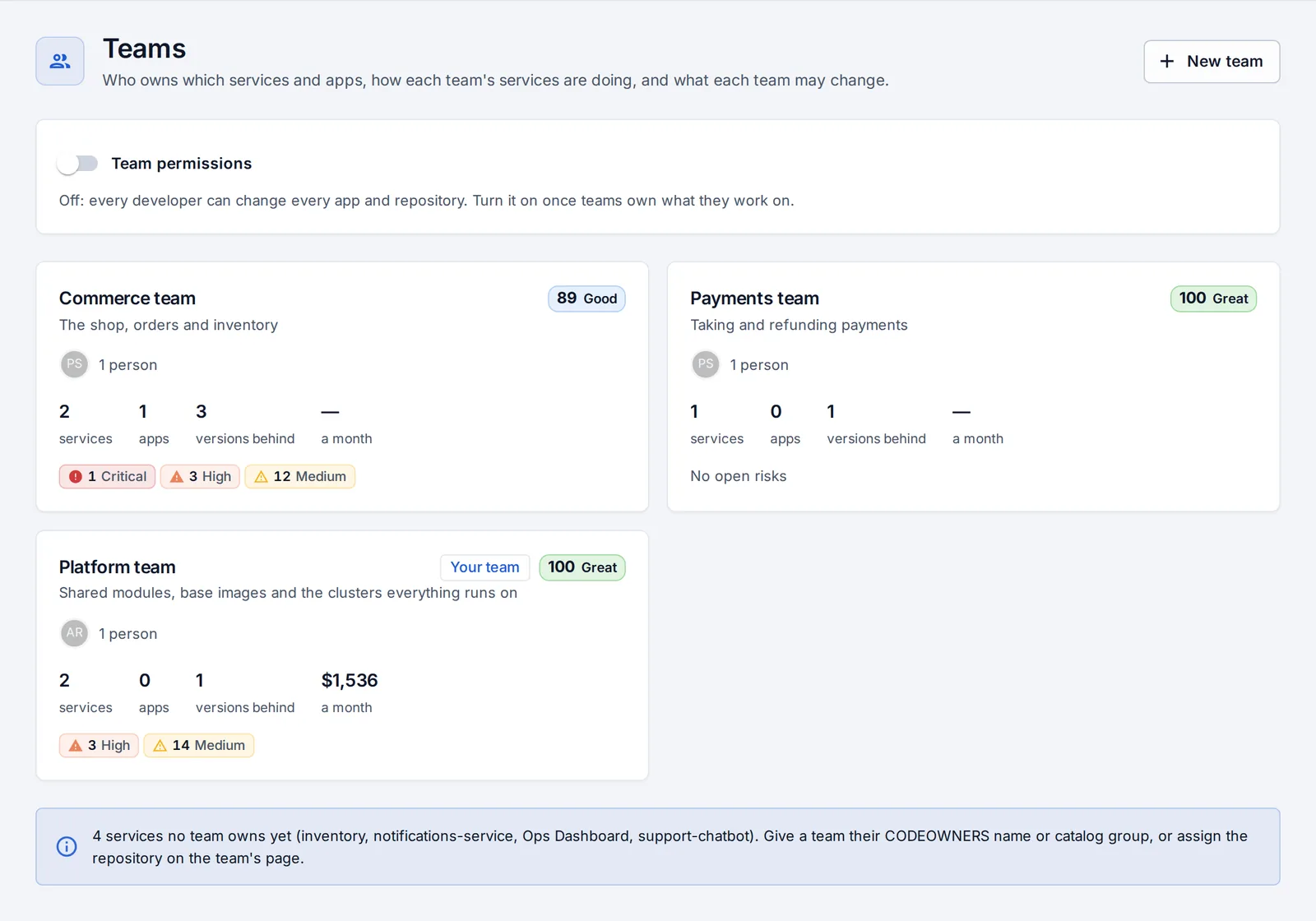
Team permissions
Off until an admin turns them on. Then developers change only the apps and repositories their teams own, or that no team owns. Looking is always allowed. The same rule applies to AI assistants.
Lead approvals
When an app’s production deploys need approval, a lead of the team that owns it can approve, as well as admins (never the person who asked).
Team channels
A notification channel can belong to a team. It then hears only about that team’s apps and repositories, while company channels hear everything. See Monitors and notifications.
Scorecards
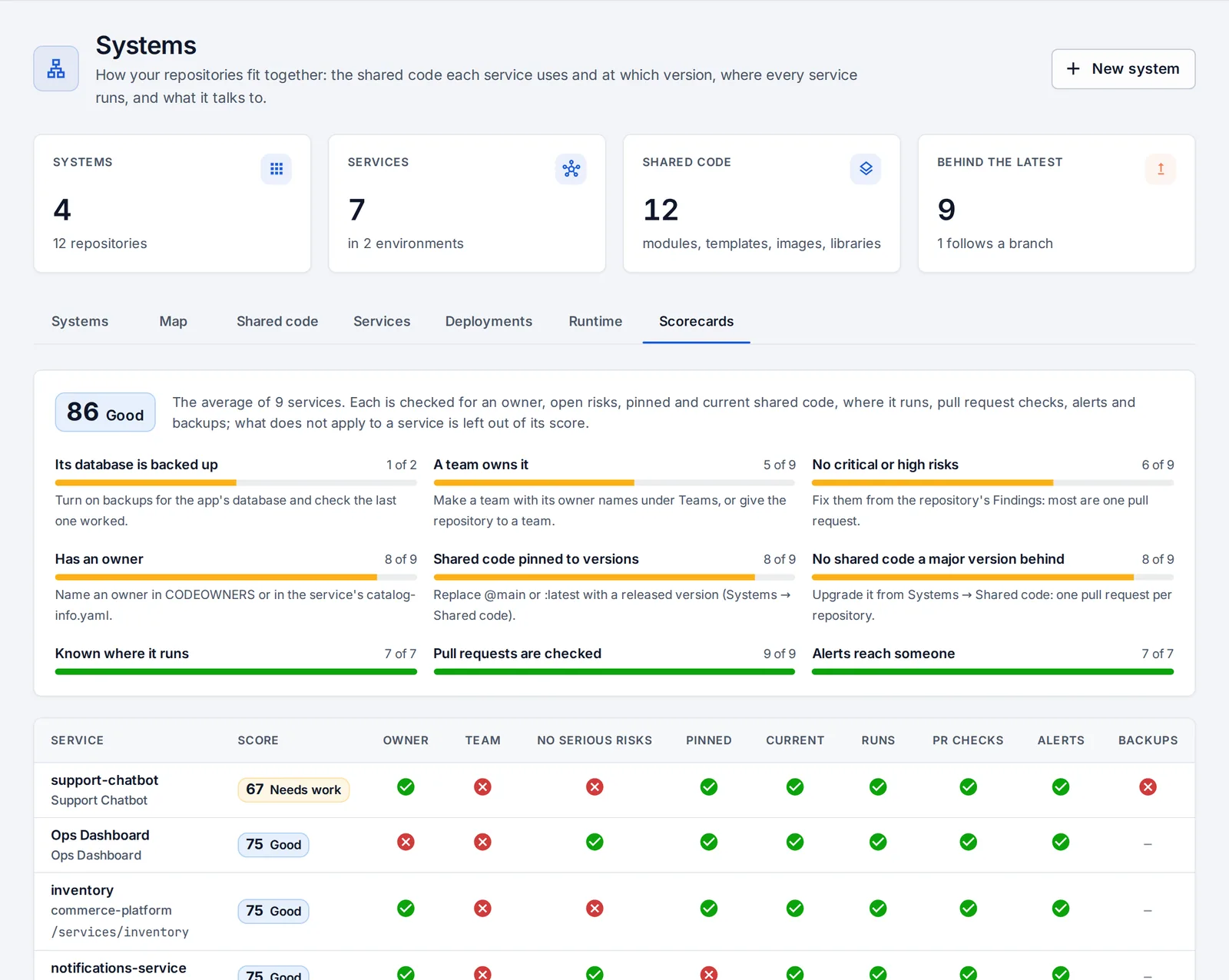
Systems → Scorecards checks every service against nine basics:
- it has an owner;
- a team owns it;
- no critical or high risks;
- shared code pinned to versions;
- nothing a major version behind;
- it’s known where it runs;
- pull requests are checked;
- alerts reach someone;
- its database is backed up, recently.
A check that doesn’t apply (a library isn’t deployed) isn’t counted. Each service gets a score and a grade (great from 90, good from 70, needs work from 50, at risk below), and each check says how to fix it. Teams get the score of what they own, and the company gets one number to watch over time.
Something unclear or missing? Tell us, or press the ? at the top of OpsNexa Online for the guide and tours inside the product.