
DocsOperate
Leaked keys
Find keys and passwords in your code, its whole git history, build logs and visible settings, see which apps use them, and rotate them without breaking anything.
Leaked keys finds keys and passwords where they shouldn’t be, in every app:
- the code and its whole git history, on every branch. A key deleted from the code is still readable by anyone with the repository, so it still counts;
- build logs (a debug line that printed a setting);
- settings stored as visible instead of secret.
It knows AWS keys, GitHub and GitLab tokens, Slack tokens and webhooks, Stripe live keys, OpenAI, Anthropic, Google and SendGrid API keys, private keys, passwords inside database URLs and OpsNexa Online’s own tokens. It skips documented examples and ${TEMPLATES}. Checked daily and on demand; new leaks send a notification and show on Home.
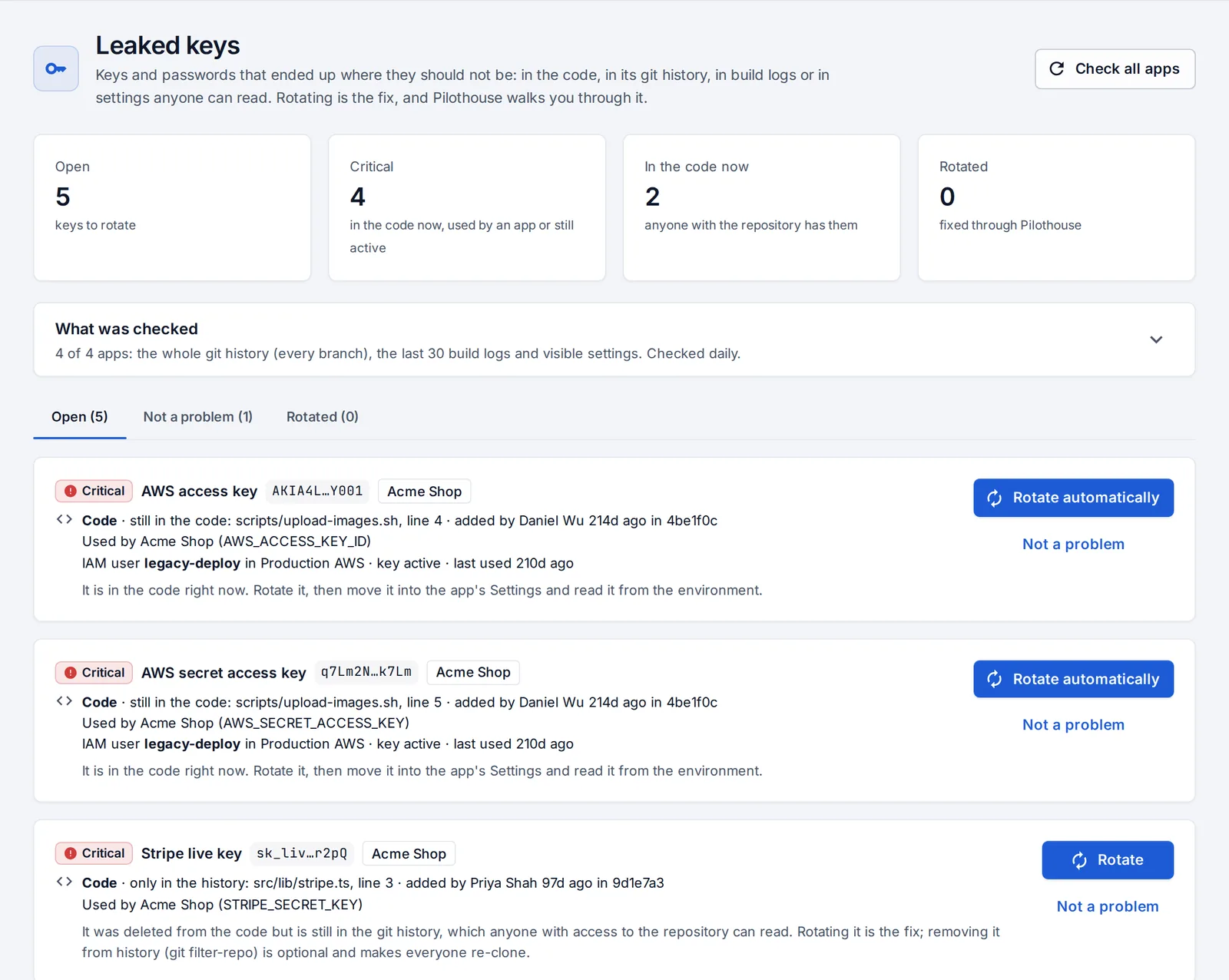
For each one you see where it is, whether it’s still in the code, which apps use it (their settings hold the same value) and, for AWS keys, which IAM user owns it and whether it’s still active.
Rotate a key
Rotating is the fix, and it’s a plan an admin confirms: press Rotate now, look through the steps, and confirm.
- AWS keys in a connected account: OpsNexa Online creates a new key for the same IAM user, puts it in the apps that use the leaked one, redeploys them and checks they’re healthy, and only then deactivates the leaked key. Steps stop at the first failure, so a key is never switched off while an app still needs it, and each step can be undone.
- OpsNexa Online tokens are revoked.
- Everything else: create a new key at the provider and paste it. OpsNexa Online updates and redeploys the apps that use the old one, then asks you to revoke the old key at the provider and press I revoked it.
Removing the key from git history is optional once it’s rotated. Not a problem (with a reason) takes test keys and the like off the list.
Something unclear or missing? Tell us, or press the ? at the top of OpsNexa Online for the guide and tours inside the product.