
DocsShip apps
Settings, secrets and domains
Give an app the settings and secrets it reads, per environment, size it, put it on your own domain, and apply changes safely.
Open an app’s Settings tab.
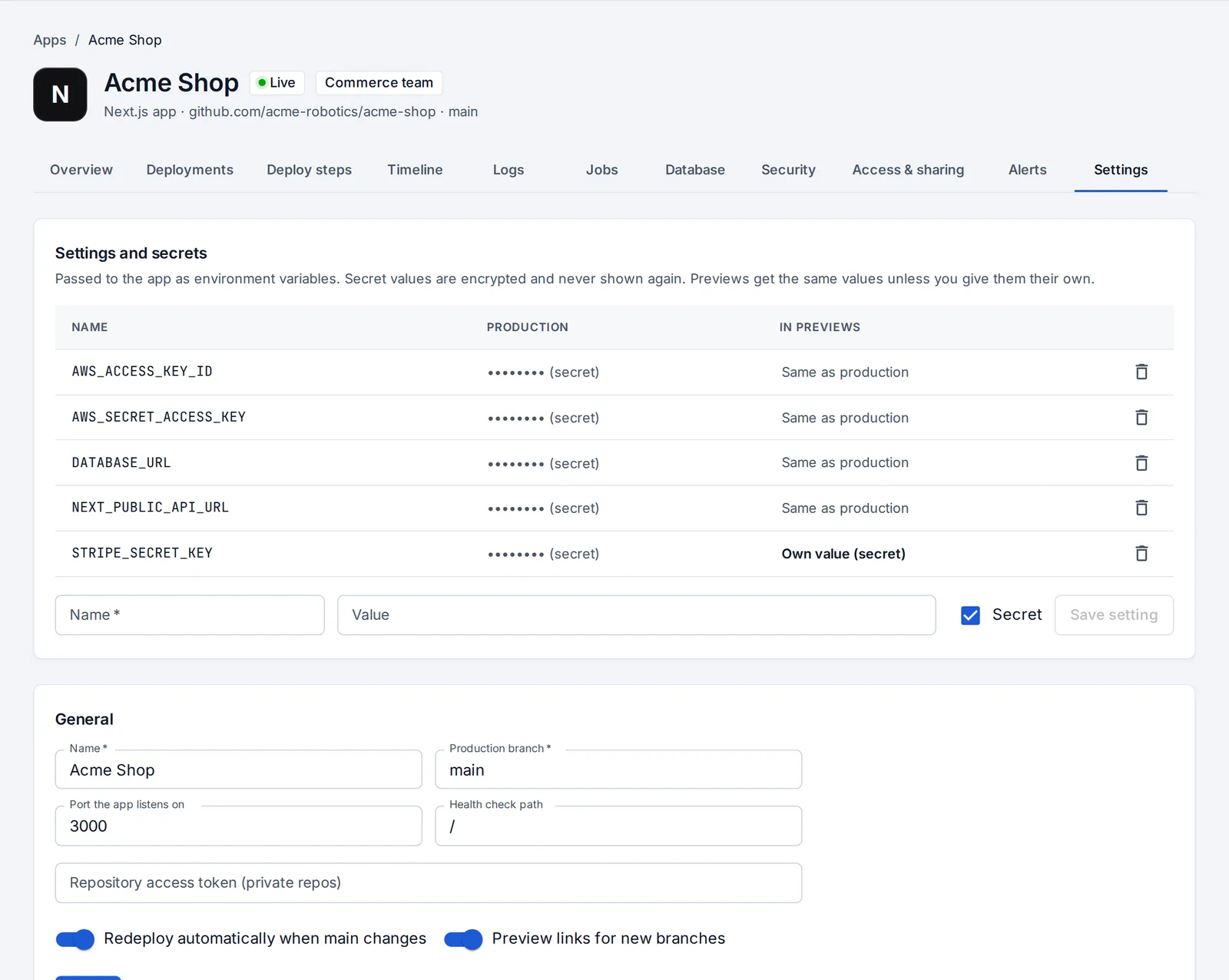
Settings and secrets
Settings are passed to the app as environment variables. Mark a setting Secret and its value is encrypted and never shown again, in the page, in logs, in the timeline (which records names only, never values) or in anything sent to an AI model.
Settings for previews
Each setting can have its own value in previews (say, a Stripe test key) or not be passed to previews at all. By default previews get the same values as production.
Applying changes
When settings, workers or the app’s size change after production started, the app says so and Apply now restarts it on the same version with the new values. Nothing is rebuilt.
Size
Under Settings → Size, apps on servers get their own memory and CPU, with a suggestion based on what they used this week.
Custom domains
Each app can also answer on your own domains:
- Under Settings → Custom domains, add the domain (like
shop.example.com). - At your DNS provider, add a CNAME record pointing it at the app’s address.
- With Let’s Encrypt on the server, the certificate is issued on the first visit.
Branch, port and health check
- Production branch: the branch production deploys from.
- Port the app listens on and Health check path: used to tell whether the app is up. OpsNexa Online restarts an app that stops answering.
- Redeploy automatically when the branch changes and Preview links for new branches can be turned off.
Move to another server
Pick another server under Where it runs. Production is rebuilt on the new server and the old copy is removed once the new one answers. Previews move when their branch next changes.
Something unclear or missing? Tell us, or press the ? at the top of OpsNexa Online for the guide and tours inside the product.