
DocsTeam and account
API and service tokens
Personal tokens for your own scripts, and company service tokens for CI pipelines that keep working when people leave.
Everything in OpsNexa Online can also be done through its API, with a token: Authorization: Bearer <token>.
Personal tokens
Under My account → API tokens, create tokens for your own scripts and your AI assistant. They act as you (never above the developer role) and stop working when your account is disabled. A token can be read-only.
Service tokens
A pipeline that deploys with someone’s personal token breaks when they leave. Service tokens belong to the company and keep working. Admins manage them under Users → Service tokens.
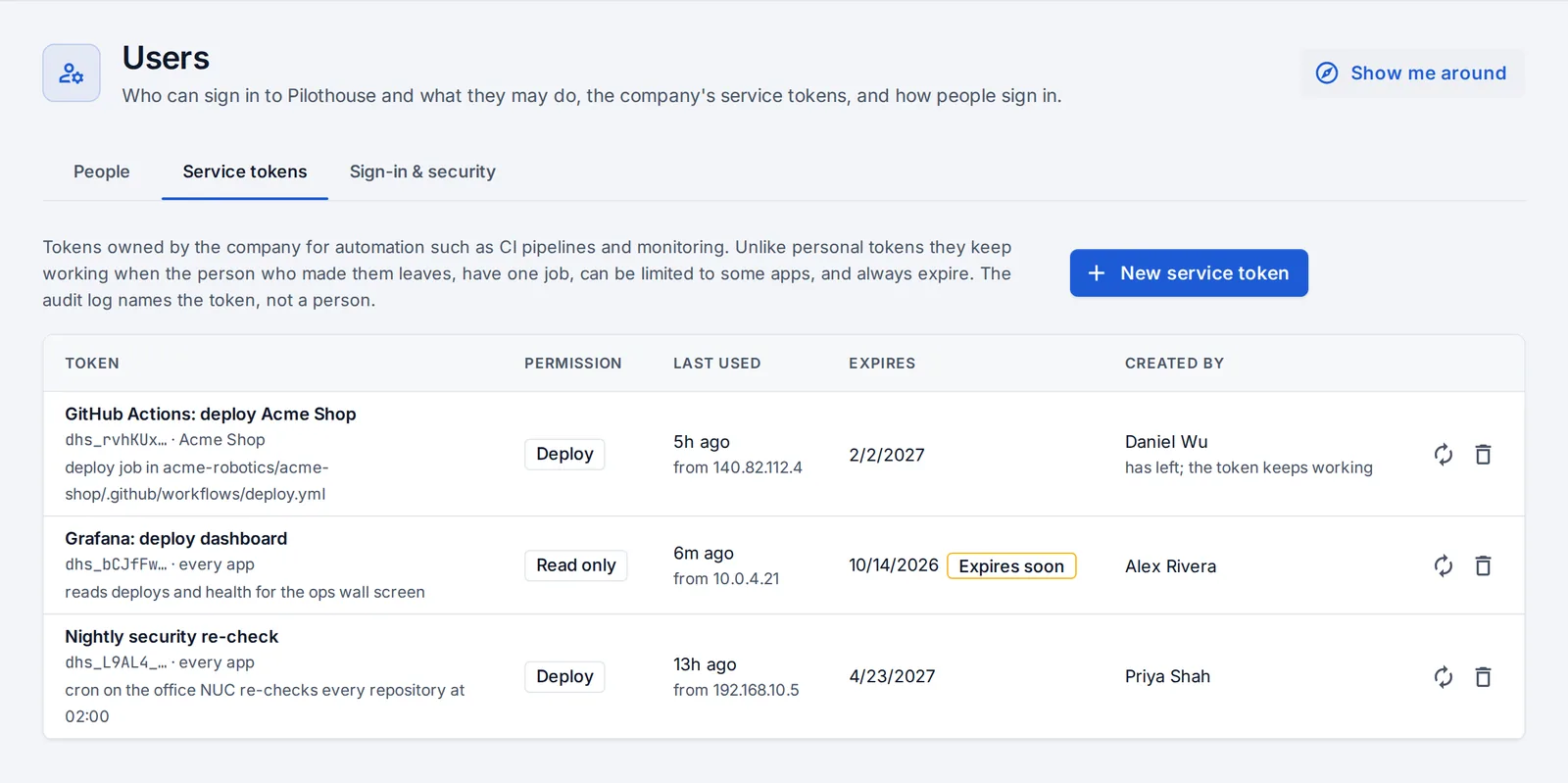
- Press New service token.
- Name it after its one job (“GitHub Actions: deploy Acme Shop”).
- Pick a permission:
- Read only;
- Deploy: deploy, roll back, restart, run jobs and previews, re-check repositories, nothing else;
- Developer.
- Optionally limit it to some apps.
- Pick an expiry. Home warns two weeks before a token expires.
- Copy the token now. It isn’t shown again.
Replace the secret issues a new one and stops the old one at once. The audit log names the token, not a person. Service tokens can’t be used by AI assistants or to open protected apps.
Deploy from CI
A GitHub Actions step that deploys an app with a service token stored as a repository secret:
- name: Deploy
  run: |
    curl -fsS -X POST https://yourcompany.opsnexa.online/api/apps/acme-shop/deploy \
      -H "Authorization: Bearer ${{ secrets.OpsNexa Online_TOKEN }}" \
      -H "Content-Type: application/json" -d '{}'
Something unclear or missing? Tell us, or press the ? at the top of OpsNexa Online for the guide and tours inside the product.